




TS
dandundj
RimWorld : Sci-fi Colony
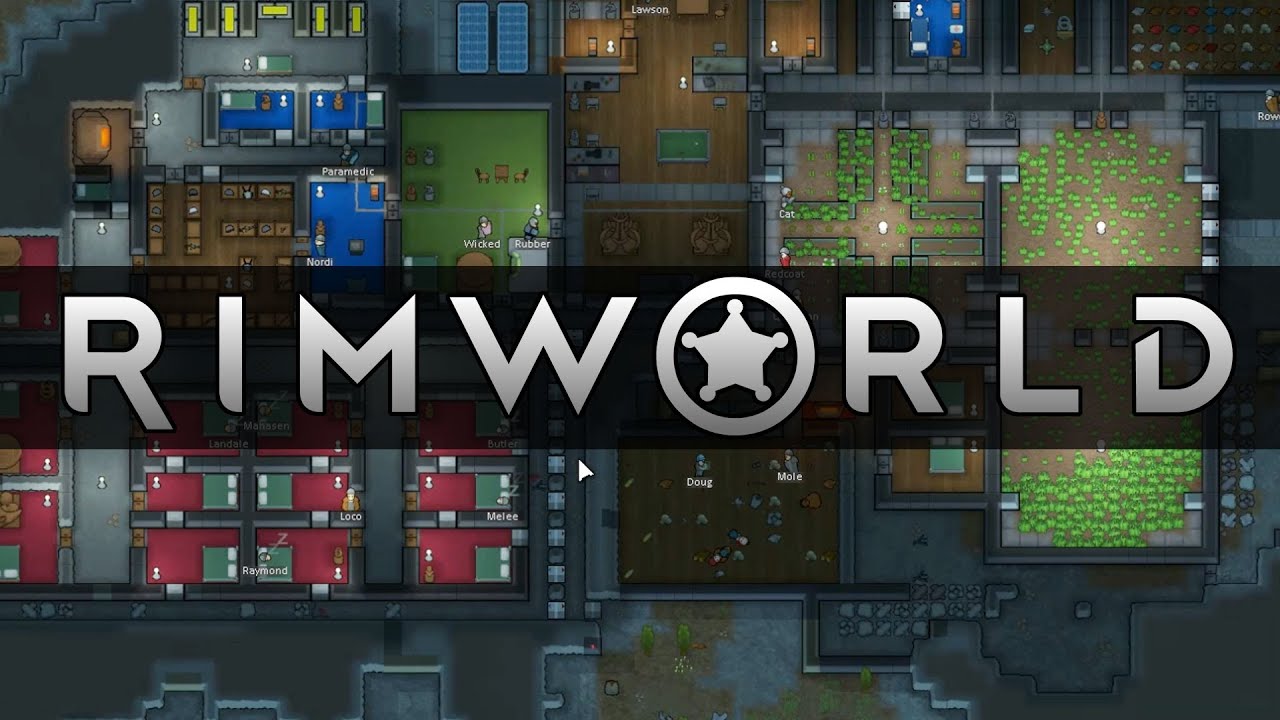
RimWorld follows three survivors from a crashed space liner as they build a colony on a frontier world at the rim of the galaxy.
Inspired by the space western vibe of Firefly, the deep simulation of Dwarf Fortress, and the epic scale of Dune and Warhammer 40,000.
Manage colonists' moods, needs, thoughts, individual wounds, and illnesses. Engage in deeply-simulated small-team gunplay. Fashion structures, weapons, and apparel from metal, wood, stone, cloth, or exotic, futuristic materials. Fight pirate raiders, hostile tribes, rampaging animals and ancient killing machines. Discover a new generated world each time you play. Build colonies in biomes ranging from desert to jungle to tundra, each with unique flora and fauna. Manage and develop colonists with unique backstories, traits, and skills. Learn to play this deep game smoothly and naturally with our intelligent, reactive AI tutor.
DOWNLOAD
Quote:
RimWorld Alpha 14
File size : 100MB
MediafireRimWorld Alpha 14[/SPOILER]
TorrentRimWorld Alpha 14[/SPOILER]
Spoiler for support the developer:
Change List
Spoiler for buka:
Spoiler for Alpha 14:
Scenario system
New scenario system allows you to choose, randomize, and customize special situations to play in. Determine starting situation, your type of community (tribe, colony), permanent map conditions, starting items, animals, health conditions, and traits, and change special rules.
Several built-in scenarios, including one matching the classic RimWorld experience, are included.
You can randomize new scenarios.
You can customize scenarios with a special interface that allows creation of any scenario you like.
Scenarios can be uploaded to or grabbed from Steam Workshop with a single click.
ScenPart: Permanent version of all map conditions (eclipse, solar flare, etc).
ScenPart: Planetkiller scenario part: World is destroyed on X date.
ScenPart: Climate cycle which makes the world get warmer and cooler over a period of years. Winter is coming.
ScenPart: Disable building a given type of building.
ScenPart: Pawns start with health condition.
ScenPart: Start with items.
ScenPart: Map is scattered with items.
ScenPart: Configure arrival method (pods or standing)
ScenPart: Starting pawns are all between ages X and Y
ScenPart: Pawns explode on death (configurable type and radius)
ScenPart: All pawns from source (game start/all) have trait X
ScenPart: Starting animal(s)
ScenPart: Disallow mining
ScenPart: Disallow hunting
ScenPart: Disallow taming
ScenPart: Disallow growing
ScenPart: Disable incident
ScenPart: Multiplier for any stat on the game (move speed, mining speed, etc)
ScenPart: Disallow building
Pawn overlapping
Pawns can no longer overlap during melee combat (unless they're really small). No more animal deathstacks! This also creates new tactics around blocking, surrounding, or back-line shooters. We had to write a bunch of AI and blocking code to make this function.
AI
Raiders can now enter "steal" mode if they see enough value. They'll grab your stuff and carry it off.
Kidnapping raiders now work together much better to kidnap. Instead of everyone fleeing at once, some will kidnap while others cover them.
AI dressing algorithm is now better at making outfits to withstand cold temperatures. If there is no way to make a survivable outfit, pawns won't arrive at all. No more raids arriving and keeling over in -60C weather.
Predators no longer hunt boomrats and boomalopes.
Pawns will be smarter about avoiding traps in various situations.
New stuff
Full Steam Workshop support for mods.
You can now play as a tribe in some scenarios.
Added torch lamp
Added pemmican for low-tech food preservation.
Research difficulty is now related to your faction's tech level. Researching techs above your level is harder. So if you're a tribe, researching spaceflight will be difficult.
Added research (needed for tribes only): complex clothing, electricity
Added research (needed for non-tribes only): pemmican
Added research: air conditioning, autodoors, gun turrets
Added 'ransom demand' incident. Can fire after one of your people is kidnapped.
Added "killed my X" social thoughts so people dislike their loved ones' killers
Added new class of "minor" mental breaks, which can happen at mood under 40%.
Added minor mental break: food binge.
Ground fertility is now reported on mouseover.
Added moisture pump, which slowly converts wet terrain to dry terrain. Requires power.
Hives now pop out glow pods - bug light sources that glow for 20 days (as long as they’re installed) and can be reinstalled or sold.
Added traits: creepy breathing, annoying voice. These are socially repellent.
Added trait: pyromaniac. Will go on firestarting sprees when stressed, and never puts out fire.
Added panther for jungle biome. Because I discovered panthers aren't real and I need to cope with this somehow.
There is now an orange glow to help you identify very hot areas.
Added/replaced animals created by the excellent Kay Fedewa[kayfedewa.deviantart.com]:
Caribou
Cassowary
Deer
Emu
Arctic fox
Fennec fox
Red fox
Gazelle
Husky
Ibex
Lynx
Megatherium (prehistoric giant ground sloth)
Ostrich
Raccoon
Rat
Turkey
Arctic wolf
Timber wolf
Interface
Added a row of colonist icons along the top of the screen, with various status info. They can be clicked to select, double-clicked to jump to, or box-selected to multi-select. These icons can be turned off.
Trading interface now lets you type in the number you want to trade instead of dragging to the number.
Animals tab now has gender and life stage informational columns
Animals tab now has a "slaughter" checkbox column to allow easy slaughtering of many animals
Animals tab now has checkbox columns for each trainable, to allow easy training of many animals
Reworked the right-click menu to be prettier, more readable, more solid, and better handle large lists of options.
Exploit solutions
Traders, visitors, raiders, kidnappers, animals, etc will now escape if surrounded by walls with no way out.
Manhunters and insects will attack doors if colonists try to hop in and out of them while getting shots off.
Hives must now be tended by insects, so if insects are all instantly killed by a turret wall, the hives will die out.
You can no longer avoid the 'executed prisoner' mood impact by just shooting or starving the prisoner; pawns will get a "prisoner died innocent" thought. A similar solution applies to the deaths of colonists.
Solved various powerleveling exploits. Once colonists have learned a certain (high) amount in a day, they'll learn at a much-reduced rate until the next day.
Flowers are no longer good animal feed (reduced nutrition).
Fixed exploit where players would give prisoner to raiders for kidnapping, to make raiders go away without a fight. Solution: Raiders only kidnap colonists.
Other
Updated to Unity 5.
World generation is now part of the new game process, instead of being separate.
Roofs must now be manually built and torn down by colonists; they do not appear and disappear instantly any more.
Reworked AI food selection algorithm to take into account personal mood impacts, rottenness, and other new factors. e.g. Now cannibals will actually seek out cannibal food because they get a mood bonus, while non-cannibals will avoid it.
Flow for opening worlds and savegames from old version is now improved; the "warning, old version" dialog comes before you open them instead of after.
Deworked mods config menu to have a much nicer selection and ordering interface.
Humans can now eat unbutchered corpses (though they really don't like it).
Infestations are easier and grow less exponentially.
Infestations only appear deeper underground now.
AI now runs away from grenades thrown by their own faction.
Tortoises aren't so deadly any more.
Animals no longer do incest.
Humans now do incest.
Seeds for world gen are now generated from actual words instead of random letter strings.
You can now set both minimum and maximum skill on a bill.
Beauty trait now has four stages: Staggeringly ugly, ugly, pretty, beautiful.
Some backstories now force pawns to have a given trait (e.g. Model->Beautiful)
Trade caravans can bring pack dromedaries.
Projectiles fired by hunting colonists no longer intercept random targets.
Some traders buy and sell furniture now.
Gut worms and muscle parasites vanish sooner.
Reworked ancient tomb loot generation. Plasteel is sometimes found on pod people. So are components.
Nuzzling is now a visualized, recorded social interaction.
Various refactorings to make modding easier and code easier to maintain and more flexible. Much more functionality is now implemented as composable ThingComps.
Many, many, many other balance changes, gameplay and interface refinements, and bugfixes.
New scenario system allows you to choose, randomize, and customize special situations to play in. Determine starting situation, your type of community (tribe, colony), permanent map conditions, starting items, animals, health conditions, and traits, and change special rules.
Several built-in scenarios, including one matching the classic RimWorld experience, are included.
You can randomize new scenarios.
You can customize scenarios with a special interface that allows creation of any scenario you like.
Scenarios can be uploaded to or grabbed from Steam Workshop with a single click.
ScenPart: Permanent version of all map conditions (eclipse, solar flare, etc).
ScenPart: Planetkiller scenario part: World is destroyed on X date.
ScenPart: Climate cycle which makes the world get warmer and cooler over a period of years. Winter is coming.
ScenPart: Disable building a given type of building.
ScenPart: Pawns start with health condition.
ScenPart: Start with items.
ScenPart: Map is scattered with items.
ScenPart: Configure arrival method (pods or standing)
ScenPart: Starting pawns are all between ages X and Y
ScenPart: Pawns explode on death (configurable type and radius)
ScenPart: All pawns from source (game start/all) have trait X
ScenPart: Starting animal(s)
ScenPart: Disallow mining
ScenPart: Disallow hunting
ScenPart: Disallow taming
ScenPart: Disallow growing
ScenPart: Disable incident
ScenPart: Multiplier for any stat on the game (move speed, mining speed, etc)
ScenPart: Disallow building
Pawn overlapping
Pawns can no longer overlap during melee combat (unless they're really small). No more animal deathstacks! This also creates new tactics around blocking, surrounding, or back-line shooters. We had to write a bunch of AI and blocking code to make this function.
AI
Raiders can now enter "steal" mode if they see enough value. They'll grab your stuff and carry it off.
Kidnapping raiders now work together much better to kidnap. Instead of everyone fleeing at once, some will kidnap while others cover them.
AI dressing algorithm is now better at making outfits to withstand cold temperatures. If there is no way to make a survivable outfit, pawns won't arrive at all. No more raids arriving and keeling over in -60C weather.
Predators no longer hunt boomrats and boomalopes.
Pawns will be smarter about avoiding traps in various situations.
New stuff
Full Steam Workshop support for mods.
You can now play as a tribe in some scenarios.
Added torch lamp
Added pemmican for low-tech food preservation.
Research difficulty is now related to your faction's tech level. Researching techs above your level is harder. So if you're a tribe, researching spaceflight will be difficult.
Added research (needed for tribes only): complex clothing, electricity
Added research (needed for non-tribes only): pemmican
Added research: air conditioning, autodoors, gun turrets
Added 'ransom demand' incident. Can fire after one of your people is kidnapped.
Added "killed my X" social thoughts so people dislike their loved ones' killers
Added new class of "minor" mental breaks, which can happen at mood under 40%.
Added minor mental break: food binge.
Ground fertility is now reported on mouseover.
Added moisture pump, which slowly converts wet terrain to dry terrain. Requires power.
Hives now pop out glow pods - bug light sources that glow for 20 days (as long as they’re installed) and can be reinstalled or sold.
Added traits: creepy breathing, annoying voice. These are socially repellent.
Added trait: pyromaniac. Will go on firestarting sprees when stressed, and never puts out fire.
Added panther for jungle biome. Because I discovered panthers aren't real and I need to cope with this somehow.
There is now an orange glow to help you identify very hot areas.
Added/replaced animals created by the excellent Kay Fedewa[kayfedewa.deviantart.com]:
Caribou
Cassowary
Deer
Emu
Arctic fox
Fennec fox
Red fox
Gazelle
Husky
Ibex
Lynx
Megatherium (prehistoric giant ground sloth)
Ostrich
Raccoon
Rat
Turkey
Arctic wolf
Timber wolf
Interface
Added a row of colonist icons along the top of the screen, with various status info. They can be clicked to select, double-clicked to jump to, or box-selected to multi-select. These icons can be turned off.
Trading interface now lets you type in the number you want to trade instead of dragging to the number.
Animals tab now has gender and life stage informational columns
Animals tab now has a "slaughter" checkbox column to allow easy slaughtering of many animals
Animals tab now has checkbox columns for each trainable, to allow easy training of many animals
Reworked the right-click menu to be prettier, more readable, more solid, and better handle large lists of options.
Exploit solutions
Traders, visitors, raiders, kidnappers, animals, etc will now escape if surrounded by walls with no way out.
Manhunters and insects will attack doors if colonists try to hop in and out of them while getting shots off.
Hives must now be tended by insects, so if insects are all instantly killed by a turret wall, the hives will die out.
You can no longer avoid the 'executed prisoner' mood impact by just shooting or starving the prisoner; pawns will get a "prisoner died innocent" thought. A similar solution applies to the deaths of colonists.
Solved various powerleveling exploits. Once colonists have learned a certain (high) amount in a day, they'll learn at a much-reduced rate until the next day.
Flowers are no longer good animal feed (reduced nutrition).
Fixed exploit where players would give prisoner to raiders for kidnapping, to make raiders go away without a fight. Solution: Raiders only kidnap colonists.
Other
Updated to Unity 5.
World generation is now part of the new game process, instead of being separate.
Roofs must now be manually built and torn down by colonists; they do not appear and disappear instantly any more.
Reworked AI food selection algorithm to take into account personal mood impacts, rottenness, and other new factors. e.g. Now cannibals will actually seek out cannibal food because they get a mood bonus, while non-cannibals will avoid it.
Flow for opening worlds and savegames from old version is now improved; the "warning, old version" dialog comes before you open them instead of after.
Deworked mods config menu to have a much nicer selection and ordering interface.
Humans can now eat unbutchered corpses (though they really don't like it).
Infestations are easier and grow less exponentially.
Infestations only appear deeper underground now.
AI now runs away from grenades thrown by their own faction.
Tortoises aren't so deadly any more.
Animals no longer do incest.
Humans now do incest.
Seeds for world gen are now generated from actual words instead of random letter strings.
You can now set both minimum and maximum skill on a bill.
Beauty trait now has four stages: Staggeringly ugly, ugly, pretty, beautiful.
Some backstories now force pawns to have a given trait (e.g. Model->Beautiful)
Trade caravans can bring pack dromedaries.
Projectiles fired by hunting colonists no longer intercept random targets.
Some traders buy and sell furniture now.
Gut worms and muscle parasites vanish sooner.
Reworked ancient tomb loot generation. Plasteel is sometimes found on pod people. So are components.
Nuzzling is now a visualized, recorded social interaction.
Various refactorings to make modding easier and code easier to maintain and more flexible. Much more functionality is now implemented as composable ThingComps.
Many, many, many other balance changes, gameplay and interface refinements, and bugfixes.
Spoiler for Alpha 13:
Spoiler for Alpha 12:
Alpha 12b-d
Changes in Alpha12b:
-Rebalanced animal hauling, traps, charge rifle, assault rifle.
-Rebalanced animal hunger rates and plant nutritions so animals need larger grass pastures to be sustainable.
-Thrumbo is much more powerful in combat.
-Sleeping pawns now wake up when harmed.
-Float menu column is wider to avoid cut-off text.
-Ship part incidents won’t occur so early.
-First raid comes a bit earlier on Cassandra and Phoebe.
-Fixed: Manual work priorities being used after switching to non-manual priorities.
-Fixed: Colonists have ‘colonist left unburied’ thoughts when tame animals were left unburied.
-Fixed: Eggs can only be used for simple meals
-Fixed: Trade items dropping in weird places.
-Fixed: Colonists incapable of violence can slaugher animals.
-Fixed: Alphabeavers leave the map after they sleep because they get hungry.
-Fixed: Date changes over at 6am, not midnight.
-Misc other fixes and improvements.
Change in Alpha12c:
-Poison ship part event now only drops one ship part instead of 2-3.
Change in Alpha12d
-Flashstorms are much less intense
Tips,Trick,Guide
Quote:
Beginner Guide
RimWorld wiki
Biar Makanan Tidak Busuk
Bertani di Biome Dingin
Cara agar tidak korsleting listrik
Cara main di netbook
Cara cepat dapat duit
RimWorld wiki
Biar Makanan Tidak Busuk
Bertani di Biome Dingin
Cara agar tidak korsleting listrik
Cara main di netbook
Cara cepat dapat duit
MODS
[SPOILER=buka]
Quote:
Gan ane kasih nih modpack Ultimate Overhaul dari NineFinger. ane reuploadin plus udah ane instalin (modpack+patch) dan work gan.ane nyoba nginstal modnya kemarin salah terus tapi sekarang udah diupdate modnya. nih bagi yang ga mau susah-susah,bingunggk mudeng nginstal tambah patch yang bejibun dari mod Ultimate Overhaul.
DOWNLOAD
NOTE: Ada mod yang belum saya aktifkan,jadi diharapkan agan semua mengaktifkanya secara manual
tapi sekarang udah diupdate modnya. nih bagi yang ga mau susah-susah,bingunggk mudeng nginstal tambah patch yang bejibun dari mod Ultimate Overhaul.DOWNLOAD
Quote:
Ultimate Overhaullatest update 10/08/2015
file size :78.44 MB
Mediafire
[SPOILER=download]Ultimate Overhaul Rimworld Alpha 11d
file size :78.44 MB
Mediafire
[SPOILER=download]Ultimate Overhaul Rimworld Alpha 11d
NOTE: Ada mod yang belum saya aktifkan,jadi diharapkan agan semua mengaktifkanya secara manual
Quote:
Original Posted By BrotherJovan►tempelin gan di page one ini tempat nyari mods
Spoiler for Mods:
Quote:
Original Posted By darroool►
ada 4 mod yg dipake, link nya ada di sini link yutub tapi tinggal download ada link lagi ke 4 mod, lagu2 di rimworld juga seru, maen pake rough mulu susah bgt -_- parah deh, nge prison koloni tetangga malah jd musuhan...
ada 4 mod yg dipake, link nya ada di sini link yutub tapi tinggal download ada link lagi ke 4 mod, lagu2 di rimworld juga seru, maen pake rough mulu susah bgt -_- parah deh, nge prison koloni tetangga malah jd musuhan...
Quote:
Original Posted By BrotherJovan►pake mod ini asik gan maennya jadi base defense gitu ane udah sampe wave 22 nih masih lanjut terooos
Screenshots
Quote:
Spoiler for BrotherJovan:


Spoiler for dandundj:


Spoiler for FallForYou:

Spoiler for harkrevenge:

Spoiler for Erasmus:

Spoiler for buka:
Thread ini bakal ane update terus.. kalo ada pertanyaan slahkan tanya gan, mau share silahkan. tapi harus patuh sama rules
Polling
0 suara
Setuju gak kalo ane update mod Ultimate Overhaul dari Nine Finger tiap 5 hari sekali.
Diubah oleh dandundj 17-07-2016 11:07
0
42.2K
Kutip
299
Balasan

Komentar yang asik ya
Mari bergabung, dapatkan informasi dan teman baru!

PC Games
11.3KThread•10.5KAnggota
Tampilkan semua post
TS
dandundj
#12
Beginner Guide
Guidenya ane dapet dari reddit, pas ane masukin linknya gk boleh sama kaskus, ane copas aja belum ane translate gan
lanjut di post berikutnya gan
Next Part
Quote:
Spoiler for Guidenya:
As the title says. I meant to be finished with this already, but there's actually a fair bit more to do. Anyways....on to the guide!
This is (to my knowledge, anyways) the first attempt at a fleshed-out guide to your first few days in Rimworld. I've been seeing a lot of new people lately on the forums and here on r/Rimworld expressing confusion at some of the game elements and decided it was time for a basic, down-and-dirty quick-start walkthrough. All comments and criticisms are welcome, please by all means, let me know if I've left out important info. So, without further ado, let's begin at the beginning! From the Main menu.....
New Game
Alright, so, the first thing you'll need to do is create the planet you'll be playing on. Click Create World at the top of the menu listing and you'll be presented with a few parameters, none of which is particularly important to you at the moment. Go ahead and generate a world, and click save and finish in the bottom right.
Now, choose New Colony from the main menu screen. The first thing to do is choose a difficulty level, and the type of AI that will choose in what way that difficulty is implemented. In short, the different AI's have different ways of generating random events that occur in the game. They are fairly well-described in the menu screens, so check the description carefully before choosing a Storyteller. I highly suggest, whomever you choose, that you go no higher than Casual difficulty for your first game.
The next screen allows you to select the world you wish to play on. Since you only have one, pick it and move on.
Here you will be brought to a map layout of the planet, in which you can choose your colony location. There are several things to consider here:
Temperature - the temperature determines what necessities your colonists might require to stay comfortable. Getting too hot will result in heatstroke which will eventually incapacitate and even kill your colonists; being too cold will cause hypothermia, and the same end result. Various items, such as heaters, air conditioners/coolers, and types of clothing, will allow you to control your colonists temperature levels during different months. Different zones have different temperature averages for the different seasons, so it is important to look carefully at this.
Biome - This is the land type that you'll be landing on. Currently there are several types - Desert, Tundra, Temperate Forest, Arid Shrubland, Boreal Forest, Tropical Rainforest, and Ice Sheet. pay close attention to the temperatures here - they generally correspond to the Biome type as common sense would dictate, but more importantly, Temperature in combination with Biome will determine the growing season. This is very important as it limits when you can farm outdoors.
Rainfall - lets you estimate how often you'll see thunderstorms and the like. Also helps determine growing season.
Stone types - important if you are looking for a specific type of stone to make your colony out of. Granite, for example, makes for strong building materials.
Growing period - Exactly what it says. These are the only times you may grow food outdoors in this location. If you wish to grow food outside of growing season, you will need to move indoors, and use hydroponics and sun lamps.
Now click the advanced tab in the bottom center. This will bring up a menu allowing you to choose the size of the map and the month you start in. Starting month is particularly important, make sure you are starting in a month when growing season has begun, so that you can get farming done ASAP! Size is fairly self-explanatory, however it is important to note that, the larger your map is, the further the distance between your colony/colonists and various things - random item drops, resources, raiders that appear at the edge of the map, etc. this increases the amount of time it takes your colonists to do some things. Also, larger maps have significantly greater requirements of your system. Be confident in your overall horsepower (CPU+RAM) if you plan on playing on anything larger than 300x300. especially in the late game, with a large colony and big raids, things can quickly stutter to a halt. Stick with default size for now, choose your starting month, and close.
Now, presuming you've selected a location on the map that you are satisfied with, hit Select Site in the bottom right corner. You will then be taken to a character generation screen, to create your colonists.
Colonists
Colonists can have many different attributes, and it's not important here to get into all of them. Suffice to say that colonist generation is complex, and it can take many tries to get a solid team. That said, you are free to randomly generate new colonists to your heart's content. General rules of thumb:
Try not to take colonists with mood problems. In the early and late game, especially if you are new to the game, it can be difficult to keep your colonists mood up. Single events can cause catastrophic domino effects, causing your colonists to eventually lose their minds if things get bad enough. Look for personality traits like Iron-Willed and Sanguine - general, passive mood boosts help enormously.
Whatever other skills your colonists might have, you need at least one growing specialist, one construction specialist, and one mining specialist. These three things will comprise the majority of your activity in the early-to-mid game, and you often want all three to be going on simultaneously. Some overlap is alright, but make sure those specialties are there. Similarly, it is extremely important for at least one of your colonists to shoot well, and for at least one of your colonists to have a high Medicine skill. Even minor wounds can easily turn lethal if left untreated, or even just not properly treated. I would personally also recommend that you have one colonist with a high social skill. This makes it easier to recruit other people to your colony, and also helps the general mood of your other colonists, as their conversations will be more pleasant.
When you've found a team you like, go ahead and click Start in the bottom right.
Continued in part 2
This is (to my knowledge, anyways) the first attempt at a fleshed-out guide to your first few days in Rimworld. I've been seeing a lot of new people lately on the forums and here on r/Rimworld expressing confusion at some of the game elements and decided it was time for a basic, down-and-dirty quick-start walkthrough. All comments and criticisms are welcome, please by all means, let me know if I've left out important info. So, without further ado, let's begin at the beginning! From the Main menu.....
New Game
Alright, so, the first thing you'll need to do is create the planet you'll be playing on. Click Create World at the top of the menu listing and you'll be presented with a few parameters, none of which is particularly important to you at the moment. Go ahead and generate a world, and click save and finish in the bottom right.
Now, choose New Colony from the main menu screen. The first thing to do is choose a difficulty level, and the type of AI that will choose in what way that difficulty is implemented. In short, the different AI's have different ways of generating random events that occur in the game. They are fairly well-described in the menu screens, so check the description carefully before choosing a Storyteller. I highly suggest, whomever you choose, that you go no higher than Casual difficulty for your first game.
The next screen allows you to select the world you wish to play on. Since you only have one, pick it and move on.
Here you will be brought to a map layout of the planet, in which you can choose your colony location. There are several things to consider here:
Temperature - the temperature determines what necessities your colonists might require to stay comfortable. Getting too hot will result in heatstroke which will eventually incapacitate and even kill your colonists; being too cold will cause hypothermia, and the same end result. Various items, such as heaters, air conditioners/coolers, and types of clothing, will allow you to control your colonists temperature levels during different months. Different zones have different temperature averages for the different seasons, so it is important to look carefully at this.
Biome - This is the land type that you'll be landing on. Currently there are several types - Desert, Tundra, Temperate Forest, Arid Shrubland, Boreal Forest, Tropical Rainforest, and Ice Sheet. pay close attention to the temperatures here - they generally correspond to the Biome type as common sense would dictate, but more importantly, Temperature in combination with Biome will determine the growing season. This is very important as it limits when you can farm outdoors.
Rainfall - lets you estimate how often you'll see thunderstorms and the like. Also helps determine growing season.
Stone types - important if you are looking for a specific type of stone to make your colony out of. Granite, for example, makes for strong building materials.
Growing period - Exactly what it says. These are the only times you may grow food outdoors in this location. If you wish to grow food outside of growing season, you will need to move indoors, and use hydroponics and sun lamps.
Now click the advanced tab in the bottom center. This will bring up a menu allowing you to choose the size of the map and the month you start in. Starting month is particularly important, make sure you are starting in a month when growing season has begun, so that you can get farming done ASAP! Size is fairly self-explanatory, however it is important to note that, the larger your map is, the further the distance between your colony/colonists and various things - random item drops, resources, raiders that appear at the edge of the map, etc. this increases the amount of time it takes your colonists to do some things. Also, larger maps have significantly greater requirements of your system. Be confident in your overall horsepower (CPU+RAM) if you plan on playing on anything larger than 300x300. especially in the late game, with a large colony and big raids, things can quickly stutter to a halt. Stick with default size for now, choose your starting month, and close.
Now, presuming you've selected a location on the map that you are satisfied with, hit Select Site in the bottom right corner. You will then be taken to a character generation screen, to create your colonists.
Colonists
Colonists can have many different attributes, and it's not important here to get into all of them. Suffice to say that colonist generation is complex, and it can take many tries to get a solid team. That said, you are free to randomly generate new colonists to your heart's content. General rules of thumb:
Try not to take colonists with mood problems. In the early and late game, especially if you are new to the game, it can be difficult to keep your colonists mood up. Single events can cause catastrophic domino effects, causing your colonists to eventually lose their minds if things get bad enough. Look for personality traits like Iron-Willed and Sanguine - general, passive mood boosts help enormously.
Whatever other skills your colonists might have, you need at least one growing specialist, one construction specialist, and one mining specialist. These three things will comprise the majority of your activity in the early-to-mid game, and you often want all three to be going on simultaneously. Some overlap is alright, but make sure those specialties are there. Similarly, it is extremely important for at least one of your colonists to shoot well, and for at least one of your colonists to have a high Medicine skill. Even minor wounds can easily turn lethal if left untreated, or even just not properly treated. I would personally also recommend that you have one colonist with a high social skill. This makes it easier to recruit other people to your colony, and also helps the general mood of your other colonists, as their conversations will be more pleasant.
When you've found a team you like, go ahead and click Start in the bottom right.
Continued in part 2
Spoiler for part 2:
Part 2: First Few Days
A dialog box pops up telling you that you are crash landing on the planet. Click OK and you will do so. Notice the small grey landing pods coming in. Let them land, and open, and when all three colonists are moving about, pause the game. You can do this by going to the lower-right corner of the screen, and using the pause command, located right about the menu. There are four basic time settings to click on - pause, normal speed, faster, and fastest. You will often want to pause to issue orders and lay out construction plans - hit spacebar anytime to pause on the fly. hitting spacebar again will resume the previous speed you had selected, so remember if you were running on fastest mode when you unpause again!
Now that the game is paused, take a good look around. Zoom out with the mousewheel and check out the whole map. Are there big rock outcroppings? Did you start in the mountains? Many people like to mine directly into mountains to build their colony. Check out your starting area, and look for large open areas of decent Soil to lay out growing zones. you can see the details of any individual square simply by clicking on it and checking the UI at the bottom-left of the screen. Much important information is displayed there. Once you have found a good place for a farm, click the architect button in the bottom-left. Many different options will pop up in the menu - these are categories of buildings and items that can be constructed with the right materials. For now, click on Zones. A selection will roll out across the bottom of the screen. Take a good look at them, they are all important in different situations, and they are almost always all useful at some point during most games. Right now, you are primarily concerned with two options - Growing zones and Stockpiles.
Select Growing zone and left-click and drag to lay out a zone, say 10x10. Click on the zone once it's done and you'll notice that a menu pops up on the left of the UI - here you can select what you are growing on this particular plot of land. Again, information for almost everything you click on is always available on the left hand side of the screen. Select Strawberries from the droplist.
Go back to the Architect menu and go once more into Zones. Now, select Stockpile. A stockpile is a place where you store your items. nearly every item in the game can end up on a stockpile, and there is an extensive list of items that you can allow or disallow in your stockpile. Lay out the zone, say 10x10 again, and click on it. On the left you will see your various options for which items you want stored there. You could customize the stockpile to no end, but this one is going to be specifically for food. Click everything out (or just click Clear All at the top) and only allow Food. Now, things get interesting.
Click the architect again, and go into Structures. Structures are the primary foundations of the colony - walls, doors, etc. In the little rollout menu that appears along the bottom of the screen, click once on the regular Wall. You'll notice a smaller menu comes out giving you material options. For now, we'll use wood. click on wood and you'll see the icon change to represent it's current default material type. Click it again to change the active material at any time.
Now, with your wooden Wall segments in hand, lay out a wall around the edges of the stockpile. You'll need a door as well. (When this small building you're planning is done, or nearly done, you'll notice a short graphical effect that occurs in a kind of sweeping motion across the "top" of the building, rendering it dark inside. That is the roof, and the game autoconstructs these wherever it deems appropriate. You can create no-roof zones and control this to a degree, but this is not important right now.) Now, the way we are going to finish this building will help explain some other concepts. First go back to the Architect menu, and this time, select Temperature. You'll see a short list at the bottom. We want the Cooler. Select Cooler and move your cursor onto the map and over a wall. You'll notice that the Cooler has two squares coming out either side of it - one red, and one blue. The blue shows you where the cold air comes out, the red, where the heat exhaust is. Place a Cooler on a wall segment so that the cold air block is inside the building, and the hot air block on the outside. We can do this by hitting either the Q or E keys - these keys rotate the given object 90 degrees and so will let you determine the placing of the red and blue boxes. Do this with a second cooler. Now, these coolers, like many things in the game, will need to be powered. Go back to the Architect menu and select Power. Wind turbines are versatile and operate continuously - perfect for our purposes here. Note that Wind turbines have an area of effect which cannot be interrupted by trees, buildings, or other objects - if a standing object like a tree is in the white blocked out area in front or behind of a wind turbine, this will significantly reduce it's power output. So make sure the area is clear before you place it. Place the turbine, and go back to the Power menu. Now select Power Conduit. This part is simple - lay out power conduit that attaches the to-be-built turbine to both Coolers. Leave this for now, we'll come back to it later.
Now, presumably with your game still paused (you didn't unpause, did you?) go back to Zones. We're going to draw out two more Zones. the first one will be a general Stockpile. Put it near your food stockpile, and set it so that it accepts most things, except Food, Chunks, and Corpses. Finally, go back to Zones and select the Dumping zone. This is a stockpile that is preset to take rock Chunks, Slag, and Corpses - draw a fair sized zone, but try to keep it around a corner somewhere, away from where your colonists live and work. Dumping stockpiles can cause problems if they are not properly managed - corpses especially can be an issue, as rotting corpses cause mood problems when colonists see them, so try and keep them out of the way of working paths, and out of sight in general.
Continued in part 3!
A dialog box pops up telling you that you are crash landing on the planet. Click OK and you will do so. Notice the small grey landing pods coming in. Let them land, and open, and when all three colonists are moving about, pause the game. You can do this by going to the lower-right corner of the screen, and using the pause command, located right about the menu. There are four basic time settings to click on - pause, normal speed, faster, and fastest. You will often want to pause to issue orders and lay out construction plans - hit spacebar anytime to pause on the fly. hitting spacebar again will resume the previous speed you had selected, so remember if you were running on fastest mode when you unpause again!
Now that the game is paused, take a good look around. Zoom out with the mousewheel and check out the whole map. Are there big rock outcroppings? Did you start in the mountains? Many people like to mine directly into mountains to build their colony. Check out your starting area, and look for large open areas of decent Soil to lay out growing zones. you can see the details of any individual square simply by clicking on it and checking the UI at the bottom-left of the screen. Much important information is displayed there. Once you have found a good place for a farm, click the architect button in the bottom-left. Many different options will pop up in the menu - these are categories of buildings and items that can be constructed with the right materials. For now, click on Zones. A selection will roll out across the bottom of the screen. Take a good look at them, they are all important in different situations, and they are almost always all useful at some point during most games. Right now, you are primarily concerned with two options - Growing zones and Stockpiles.
Select Growing zone and left-click and drag to lay out a zone, say 10x10. Click on the zone once it's done and you'll notice that a menu pops up on the left of the UI - here you can select what you are growing on this particular plot of land. Again, information for almost everything you click on is always available on the left hand side of the screen. Select Strawberries from the droplist.
Go back to the Architect menu and go once more into Zones. Now, select Stockpile. A stockpile is a place where you store your items. nearly every item in the game can end up on a stockpile, and there is an extensive list of items that you can allow or disallow in your stockpile. Lay out the zone, say 10x10 again, and click on it. On the left you will see your various options for which items you want stored there. You could customize the stockpile to no end, but this one is going to be specifically for food. Click everything out (or just click Clear All at the top) and only allow Food. Now, things get interesting.
Click the architect again, and go into Structures. Structures are the primary foundations of the colony - walls, doors, etc. In the little rollout menu that appears along the bottom of the screen, click once on the regular Wall. You'll notice a smaller menu comes out giving you material options. For now, we'll use wood. click on wood and you'll see the icon change to represent it's current default material type. Click it again to change the active material at any time.
Now, with your wooden Wall segments in hand, lay out a wall around the edges of the stockpile. You'll need a door as well. (When this small building you're planning is done, or nearly done, you'll notice a short graphical effect that occurs in a kind of sweeping motion across the "top" of the building, rendering it dark inside. That is the roof, and the game autoconstructs these wherever it deems appropriate. You can create no-roof zones and control this to a degree, but this is not important right now.) Now, the way we are going to finish this building will help explain some other concepts. First go back to the Architect menu, and this time, select Temperature. You'll see a short list at the bottom. We want the Cooler. Select Cooler and move your cursor onto the map and over a wall. You'll notice that the Cooler has two squares coming out either side of it - one red, and one blue. The blue shows you where the cold air comes out, the red, where the heat exhaust is. Place a Cooler on a wall segment so that the cold air block is inside the building, and the hot air block on the outside. We can do this by hitting either the Q or E keys - these keys rotate the given object 90 degrees and so will let you determine the placing of the red and blue boxes. Do this with a second cooler. Now, these coolers, like many things in the game, will need to be powered. Go back to the Architect menu and select Power. Wind turbines are versatile and operate continuously - perfect for our purposes here. Note that Wind turbines have an area of effect which cannot be interrupted by trees, buildings, or other objects - if a standing object like a tree is in the white blocked out area in front or behind of a wind turbine, this will significantly reduce it's power output. So make sure the area is clear before you place it. Place the turbine, and go back to the Power menu. Now select Power Conduit. This part is simple - lay out power conduit that attaches the to-be-built turbine to both Coolers. Leave this for now, we'll come back to it later.
Now, presumably with your game still paused (you didn't unpause, did you?) go back to Zones. We're going to draw out two more Zones. the first one will be a general Stockpile. Put it near your food stockpile, and set it so that it accepts most things, except Food, Chunks, and Corpses. Finally, go back to Zones and select the Dumping zone. This is a stockpile that is preset to take rock Chunks, Slag, and Corpses - draw a fair sized zone, but try to keep it around a corner somewhere, away from where your colonists live and work. Dumping stockpiles can cause problems if they are not properly managed - corpses especially can be an issue, as rotting corpses cause mood problems when colonists see them, so try and keep them out of the way of working paths, and out of sight in general.
Continued in part 3!
lanjut di post berikutnya gan
Next Part
Source : Reddit
from user T_E_Kyle
from user T_E_Kyle
Diubah oleh dandundj 10-06-2015 17:57
0
Kutip
Balas