


- Beranda
- All About Design
All About Graphic Tablet, Pen Tablet, Interactive Pen Display
...


TS
armortec
All About Graphic Tablet, Pen Tablet, Interactive Pen Display
Mod izin buka Thread ini 
melalui Thread ini diharapkan bisa saling bertukar informasi2 bagi yg belom tau atau penasaran dengan "Graphic Tablet, Pen Tablet, Interactive Pen Display"
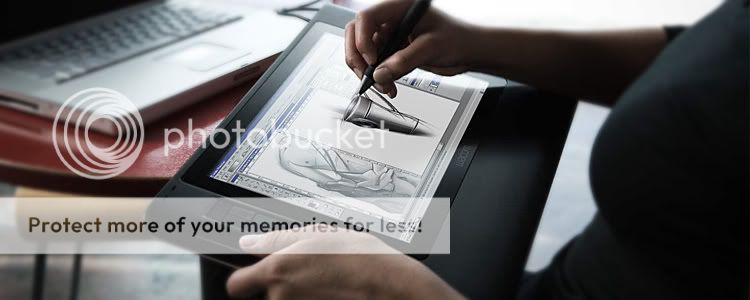
nih yg namanya interactive pen display
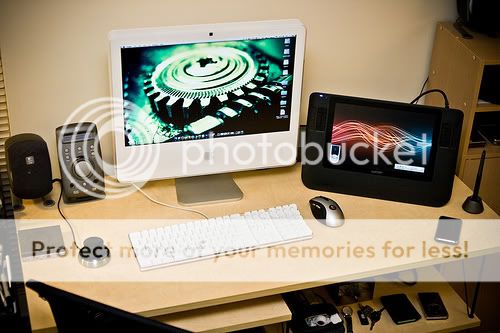
sebelah kanan warna hitam ... sama percis ama yg ada dimeja gw
  tp gw gk pake cinema display / Imac ..pakenya LCD Acer 19" jauh lebih murah
nih ada lagi

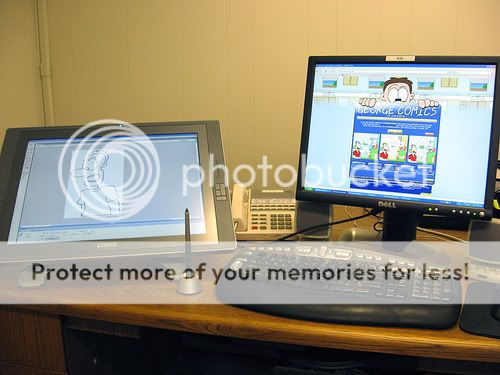
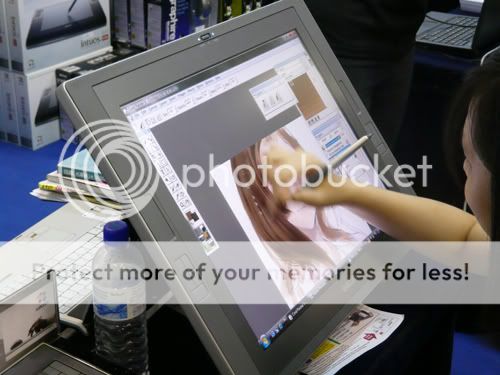
nah kalo yg dibawah ini ukurannya lebih besar... 21" UXGA
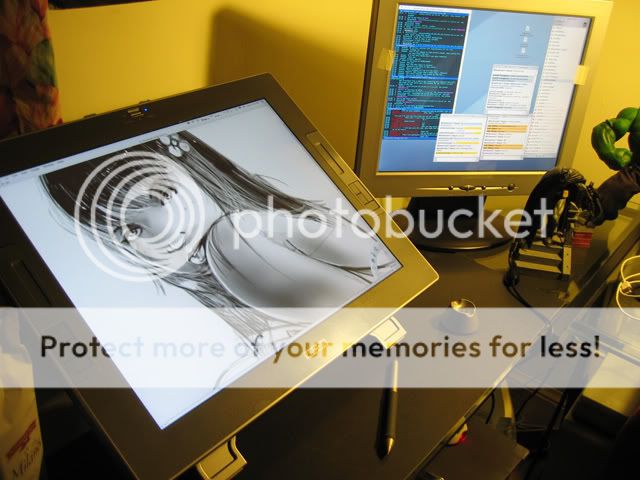
accesories wacom only...
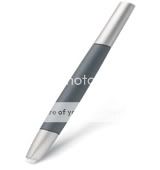
Intuos3 Art Pen
With six dimensions of pen control, the Intuos3 Art Pen offers you 360 degrees of barrel rotation, allows you tilt the pen in any direction, and allows you to easily change pen position on the fly. Features include 1,024 levels of pressure-sensitivity, a large grip area for enhanced comfort, both hard plastic and felt nibs for different "feels", and utilizes Wacom's patented cordless, battery-free technology for reliable and consistent operation.
Intuos3 Airbrush
The Airbrush is tilt sensitive and has a pressure-sensitive tip and eraser like the Grip Pen. It also includes a finger wheel to control brush dynamics like flow, colour, scatter or opacity.
Intuos3 Lens Cursor
The extremely accurate Lens Cursor is the ideal tool for CAD/CAE applications and 2D/3D graphics applications. The rotating Lens Cursor gives both left-handed and right-handed users a perfect line of sight with personal preference and comfort.
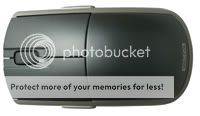
Intuos3 Mouse
It delivers around 4 times the resolution of an optical mouse, with 5 programmable buttons for easy access to frequently used modifiers, keystrokes or clicks plus a scroll wheel that works on both PC and Macintosh platforms. All the mouse settings can be customized in the Wacom control panel.
jenis2 mata pena (wacom only)

1. standart nip (warna putih ) = mata pena standart bawaan dari wacom bamboo, wacom intuos yg terpasang di pen nya
2. felt nip (warna hitam) = hanya didapat dari seri intuos3 dan cintiq .. mata pena yg dibuat khusus utk meningkatkan kesan gesekan antara mata pena dengan permukaan active area wacom yang menghasilkan kesan bener2 mirip seperti "pencil on paper"
3. stroke nip (warna abu2 dan ada per nya) = hanya didapat dari seri intuos3 dan cintiq .. mata pena yg ada "dual spring" atau "per" utk meningkatkan respons dan kesan seperti memakai kuas. enak utk mewarnai (more brush-like response)
intuos 3 series

bamboo fun dan bamboo series
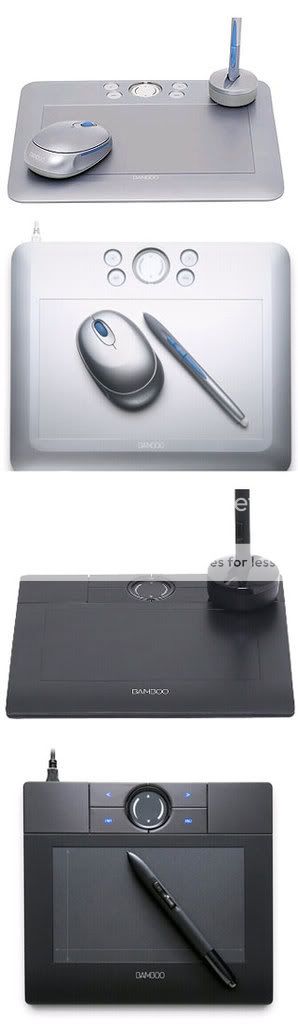
Perbedaan Wacom intuos3 dan bamboo fun dan bamboo
wacom bamboo 4x6"= diproduksi oleh wacom untuk penggunaan office/buat nulis2 aja(input karakter alpabhet, mandarin, arab dll) jadi kurang bagus untuk desain/gambar2..kualitas pennya lebih rendah..n tidak ada fungsi eraser di pennya tapi harganya terjangkau..n kalo dipake buat gambar rasanya gk terlalu beda jauh..ama bamboo fun tapi tetep berasa lebih lambat sih responce nya
software yg didapet just write office
wacom bamboo fun 4x6" = dibuat khusus pe hobby/ gambar2 komik/ editing2 foto ud ok banget.. ada fungsi eraser di pennya, kualitas pennya lebih baik (sedikit lebih responsif dibanding bamboo biasa) dapet mouse wacom, dapet mata pena standart 3pc
tablet spec :
512 Level Pen Presure
2540 LPI tablet resolustion
4 shortcut button
sofware yg didapet corel painter essential, ulead photo impact 12SE
wacom intuos3 = spesifikasi 2x lipat lebih tinggi dr bamboo fun..mengenal sudut kemiringan pen (pen tilt mode) sampai +-60 derajat
buat profesional n ud biasa maen sofware desain
untuk gambar ilustrasi, sketsa, atau hasil desainnya mau dibikin print format besar pun bisa..karena hasil kerjaan tangan kita jauh lebih halus dr pd pake bamboo fun..
dapet mata pena standart 3pc, 1 pc mata pena felt (mirip pk pensil beneran), n 1 pc mata pena stroke (ada per nya lebih empuk kesannya n katanya enak buat mewarnai )
so kalo mau buat ngerjain graphis desain, bisa lebih halus, dan detail pake intuos3
tablet spek :
1024 Level Pen Presure
5080 Lpi Tablet Resolution
Pen tilt Mode
10 Shortcut button
2 touch strip
bundled sofware : corel painter essential 3.0, adobe premier elements 2.0
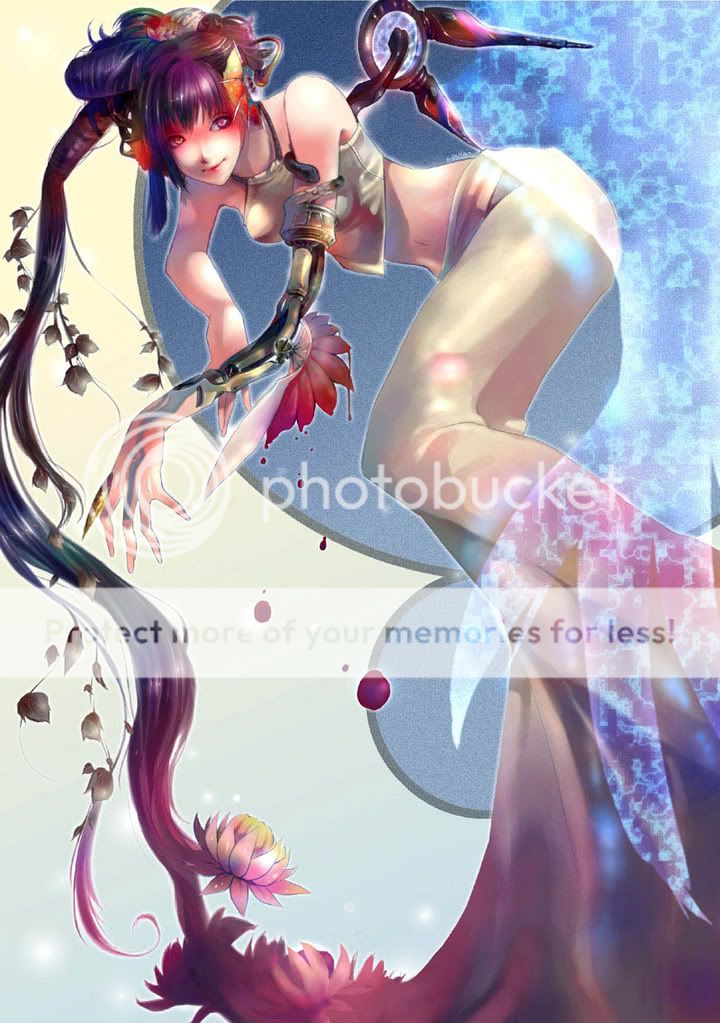
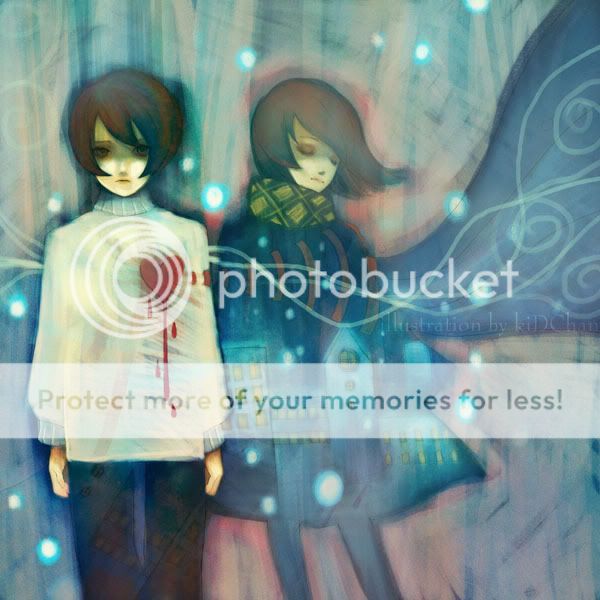
WACOM ART GaLLeRy by KidChan A.k.a Beatrice (duta WACOM asia)
made by WACOM Intuos3 6x8" dulu cuma pake Graphire 2

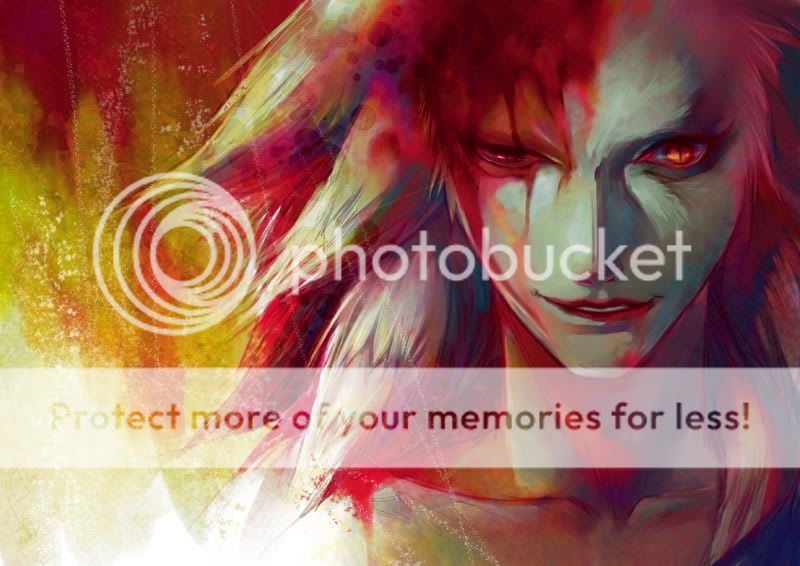
*maaf hanya merk wacom saja yg gw tau utk merk lain yg punya pengalaman silahkan share juga disini
btw ini ada sedikit tutz photosop dengan menggunakan wacom pen tablet
kalo dapet lagi ntar gw tambahin
melalui Thread ini diharapkan bisa saling bertukar informasi2 bagi yg belom tau atau penasaran dengan "Graphic Tablet, Pen Tablet, Interactive Pen Display"
nih yg namanya interactive pen display
sebelah kanan warna hitam
... sama percis ama yg ada dimeja gw tp gw gk pake cinema display / Imac ..pakenya LCD Acer 19" jauh lebih murah nih ada lagi
Spoiler for klik:
nah kalo yg dibawah ini ukurannya lebih besar... 21" UXGA
Spoiler for klik:
accesories wacom only...
Intuos3 Art Pen
With six dimensions of pen control, the Intuos3 Art Pen offers you 360 degrees of barrel rotation, allows you tilt the pen in any direction, and allows you to easily change pen position on the fly. Features include 1,024 levels of pressure-sensitivity, a large grip area for enhanced comfort, both hard plastic and felt nibs for different "feels", and utilizes Wacom's patented cordless, battery-free technology for reliable and consistent operation.
Intuos3 Airbrush
The Airbrush is tilt sensitive and has a pressure-sensitive tip and eraser like the Grip Pen. It also includes a finger wheel to control brush dynamics like flow, colour, scatter or opacity.
Intuos3 Lens Cursor
The extremely accurate Lens Cursor is the ideal tool for CAD/CAE applications and 2D/3D graphics applications. The rotating Lens Cursor gives both left-handed and right-handed users a perfect line of sight with personal preference and comfort.
Intuos3 Mouse
It delivers around 4 times the resolution of an optical mouse, with 5 programmable buttons for easy access to frequently used modifiers, keystrokes or clicks plus a scroll wheel that works on both PC and Macintosh platforms. All the mouse settings can be customized in the Wacom control panel.
jenis2 mata pena (wacom only)
Spoiler for gambar:
1. standart nip (warna putih ) = mata pena standart bawaan dari wacom bamboo, wacom intuos yg terpasang di pen nya
2. felt nip (warna hitam) = hanya didapat dari seri intuos3 dan cintiq .. mata pena yg dibuat khusus utk meningkatkan kesan gesekan antara mata pena dengan permukaan active area wacom yang menghasilkan kesan bener2 mirip seperti "pencil on paper"
3. stroke nip (warna abu2 dan ada per nya) = hanya didapat dari seri intuos3 dan cintiq .. mata pena yg ada "dual spring" atau "per" utk meningkatkan respons dan kesan seperti memakai kuas. enak utk mewarnai (more brush-like response)
intuos 3 series
bamboo fun dan bamboo series
Quote:
Perbedaan Wacom intuos3 dan bamboo fun dan bamboo
wacom bamboo 4x6"= diproduksi oleh wacom untuk penggunaan office/buat nulis2 aja(input karakter alpabhet, mandarin, arab dll) jadi kurang bagus untuk desain/gambar2..kualitas pennya lebih rendah..n tidak ada fungsi eraser di pennya tapi harganya terjangkau..n kalo dipake buat gambar rasanya gk terlalu beda jauh..ama bamboo fun tapi tetep berasa lebih lambat sih responce nya
software yg didapet just write office
wacom bamboo fun 4x6" = dibuat khusus pe hobby/ gambar2 komik/ editing2 foto ud ok banget.. ada fungsi eraser di pennya, kualitas pennya lebih baik (sedikit lebih responsif dibanding bamboo biasa) dapet mouse wacom, dapet mata pena standart 3pc
tablet spec :
512 Level Pen Presure
2540 LPI tablet resolustion
4 shortcut button
sofware yg didapet corel painter essential, ulead photo impact 12SE
wacom intuos3 = spesifikasi 2x lipat lebih tinggi dr bamboo fun..mengenal sudut kemiringan pen (pen tilt mode) sampai +-60 derajat
buat profesional n ud biasa maen sofware desain
untuk gambar ilustrasi, sketsa, atau hasil desainnya mau dibikin print format besar pun bisa..karena hasil kerjaan tangan kita jauh lebih halus dr pd pake bamboo fun..
dapet mata pena standart 3pc, 1 pc mata pena felt (mirip pk pensil beneran), n 1 pc mata pena stroke (ada per nya lebih empuk kesannya n katanya enak buat mewarnai )
so kalo mau buat ngerjain graphis desain, bisa lebih halus, dan detail pake intuos3
tablet spek :
1024 Level Pen Presure
5080 Lpi Tablet Resolution
Pen tilt Mode
10 Shortcut button
2 touch strip
bundled sofware : corel painter essential 3.0, adobe premier elements 2.0
WACOM ART GaLLeRy by KidChan A.k.a Beatrice (duta WACOM asia)
Spoiler for bandwith killer:
made by WACOM Intuos3 6x8" dulu cuma pake Graphire 2
*maaf hanya merk wacom saja yg gw tau
utk merk lain yg punya pengalaman silahkan share juga disini btw ini ada sedikit tutz photosop dengan menggunakan wacom pen tablet
kalo dapet lagi ntar gw tambahin
Spoiler for sedot disini:


tien212700 dan 5 lainnya memberi reputasi
6
450.3K
3.4K

Komentar yang asik ya
Mari bergabung, dapatkan informasi dan teman baru!

All About Design
13.9KThread•3.8KAnggota
Tampilkan semua post

ardesign
#1703
Surface pro emang agak beda dari tablet PC dengan wacom active digitizer yang lain. Dia ada palm rejection dan drivernya gak 100% wacom, microsoft ngetweak driver wacom khusus surface pro. Cuma kalau price/performancenya masih kalah sama upcoming dell venue 11 pro (dengan spek yg sama). Tapi kalo dell ga ada palm rejection, ane rela ngeluarin duid extra buat ftur premiumnya 
Tapi gan, jujur aja performa surface pro generasi 1 dan 2 ga beda jauh. secara spek, menang cuma 5-10%. Yang bagus battery lifenya doank. soal fitur drawingnya dari yang saya baca2 selama ini belum ada perubahan. Kalau ada improvement saya lebih prefer generasi 2. TAPI!! kalau tidak ada perubahan, mending beli surface pro generasi 1 gan. kenapa ? harganya di-cut jadi $699 untuk versi 64 GB . (T_T di indo yang jual pada 10jutaan semua swt dah.)
Perbedaan performa yang tipis ga worth $200 gan. Misalnya pas rilis dan ada yang ngenilai kalau tidak ada perubahan di teknologi stylusnya, ane bakal mampir/ minta bantuan temen beliin surface pro (gen. 1) ke microsoft store di aussie/malay. 699 gan, ane jual laptop lama ane, cuma ngeluarin $100 buat surface pro . 64 GB udah lebih dari cukup menurut ane. Ga dipake buat gaming ini. data disimpen di cloud.
@agan armortec, Gan ini thread soal pen tablet kan, tablet PC masuk donk, kita ga bahas hardware komputer atau apapun didalamnya kecuali kemampuannya sebagai digitizer. Kita omongin soal stylusnya, pressurenya, feel and touchnya yang ga bisa dibilang "out of topic" la
no offense soal wacomnya ya gan, ane cuma ngasih tau aja ke orang2 kalo untuk desainer beginner dan orang kesusahan duid, seringkali wacom itu overpriced, ga worth harganya. Desainer professional pun tau kalau wacom tuh overpriced tapi tetep pakai wacom karena cuma produk wacom yang speknya bisa keep-up sama skill mereka. (spek pen dan digitizernya) dan displaynya pun untuk cintiq punya akurasi warna yang tinggi, jauh diatas e-IPS yang rata2 dimiliki tablet dengan stylus. Dengan kata lain, high-end market ga bakal ada yang nandingin wacom, itu ane stuju. (salah satu alasan kenapa desainer2 professional jarang komen di thread "alternatif wacom")
Tapi gan, jujur aja performa surface pro generasi 1 dan 2 ga beda jauh. secara spek, menang cuma 5-10%. Yang bagus battery lifenya doank. soal fitur drawingnya dari yang saya baca2 selama ini belum ada perubahan. Kalau ada improvement saya lebih prefer generasi 2. TAPI!! kalau tidak ada perubahan, mending beli surface pro generasi 1 gan. kenapa ? harganya di-cut jadi $699 untuk versi 64 GB
. (T_T di indo yang jual pada 10jutaan semua swt dah.)Perbedaan performa yang tipis ga worth $200 gan. Misalnya pas rilis dan ada yang ngenilai kalau tidak ada perubahan di teknologi stylusnya, ane bakal mampir/ minta bantuan temen beliin surface pro (gen. 1) ke microsoft store di aussie/malay. 699 gan, ane jual laptop lama ane, cuma ngeluarin $100 buat surface pro
. 64 GB udah lebih dari cukup menurut ane. Ga dipake buat gaming ini. data disimpen di cloud.@agan armortec, Gan ini thread soal pen tablet kan, tablet PC masuk donk, kita ga bahas hardware komputer atau apapun didalamnya kecuali kemampuannya sebagai digitizer. Kita omongin soal stylusnya, pressurenya, feel and touchnya yang ga bisa dibilang "out of topic" la
no offense soal wacomnya ya gan, ane cuma ngasih tau aja ke orang2 kalo untuk desainer beginner dan orang kesusahan duid, seringkali wacom itu overpriced, ga worth harganya. Desainer professional pun tau kalau wacom tuh overpriced tapi tetep pakai wacom karena cuma produk wacom yang speknya bisa keep-up sama skill mereka. (spek pen dan digitizernya) dan displaynya pun untuk cintiq punya akurasi warna yang tinggi, jauh diatas e-IPS yang rata2 dimiliki tablet dengan stylus. Dengan kata lain, high-end market ga bakal ada yang nandingin wacom, itu ane stuju. (salah satu alasan kenapa desainer2 professional jarang komen di thread "alternatif wacom")
Diubah oleh ardesign 26-10-2013 08:59
0