


- Beranda
- Android
[OFFICIAL THREAD] «««««««««««««««««« LENOVO P770 »»»»»»»»»»»»»»»»»»»»»»»»»»»»»»»»»»»»
...


TS
lenovo.p770
[OFFICIAL THREAD] «««««««««««««««««« LENOVO P770 »»»»»»»»»»»»»»»»»»»»»»»»»»»»»»»»»»»»
![[OFFICIAL THREAD] «««««««««««««««««« LENOVO P770 »»»»»»»»»»»»»»»»»»»»»»»»»»»»»»»»»»»»](https://dl.kaskus.id/farm9.staticflickr.com/8507/8595844794_d8919b1173_z.jpg)
RULES
Quote:
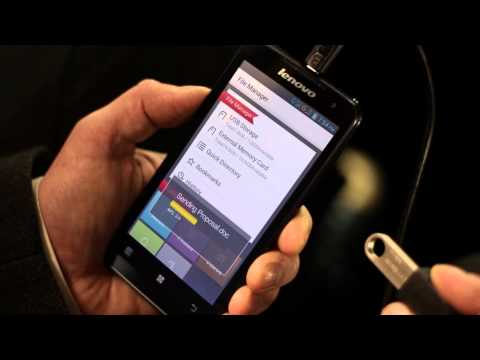
OFFICIAL VIDEO
Spoiler for official video:
SPECIFICATION
Spoiler for spec:
Quote:
Quote:
gsm arena
![[OFFICIAL THREAD] «««««««««««««««««« LENOVO P770 »»»»»»»»»»»»»»»»»»»»»»»»»»»»»»»»»»»»](https://dl.kaskus.id/farm9.staticflickr.com/8377/8594824601_5e455cdd19_z.jpg)
Quote:
tabloid pulsa
![[OFFICIAL THREAD] «««««««««««««««««« LENOVO P770 »»»»»»»»»»»»»»»»»»»»»»»»»»»»»»»»»»»»](https://dl.kaskus.id/farm9.staticflickr.com/8365/8595913364_d46e7a3ae7_z.jpg)
LATEST UPDATE !
Quote:
F.A.Q
Quote:
Diubah oleh lenovo.p770 12-10-2013 10:36
0
954.5K
10K
Thread Digembok
Mari bergabung, dapatkan informasi dan teman baru!

Android
29.7KThread•18.5KAnggota
Tampilkan semua post
ali.birin
#3553
Custom Rom P770 update
Yang mau coba custom rom baru utk Lenovo P770, sudah ada di needrom, nie linkna
![kaskus-image]()
username & password if needed see page one
Description
ROM Mobile Lenovo P770 – ROM Android 4.1.1
Model Name:P770
Android version:4.1
ROM:suda
Based on the official version:n821
ROM features :
- USB debugging is turned on by default
- With Google Services Framework
- Joined the Sony BRAVIA ENGINE picture quality optimized display engine, the sense of the picture even more shocking!
- System app odex merger ziplagin of treatment, the first boot slower oil the patience to wait for
- Add to ViPER4Android_FX sound
- Power saving patch
Language support: EN/CN/ES/PT/RU/TW
Install ROM :
Step 1: Download the custom card brush ROM copied to the external SD card root directory
Step 2: The shutdown state, the data line one end of the phone, one end of the computer’s ports, long press on the power button + volume key, mode enter recovery Brush.
Some mobile phones can be inserted without direct key combination data lines into the recovery, please know.
The ROM default clear user data and cache, must make a backup before Brush!
Step 3: Brush finished, restart the phone
or
Flastools
Select a the in MT6577_Android_scatter_emmc.txt in Recovery with Flashtools
Click Flash_tool.exe interface Firmware-> Upgrade
Phone after taking the battery in put something
Connect the data cable
Brush finished with green circles appears
source
Spoiler for penampakan:

username & password if needed see page one
Description
ROM Mobile Lenovo P770 – ROM Android 4.1.1
Model Name:P770
Android version:4.1
ROM:suda
Based on the official version:n821
ROM features :
- USB debugging is turned on by default
- With Google Services Framework
- Joined the Sony BRAVIA ENGINE picture quality optimized display engine, the sense of the picture even more shocking!
- System app odex merger ziplagin of treatment, the first boot slower oil the patience to wait for
- Add to ViPER4Android_FX sound
- Power saving patch
Language support: EN/CN/ES/PT/RU/TW
Install ROM :
Step 1: Download the custom card brush ROM copied to the external SD card root directory
Step 2: The shutdown state, the data line one end of the phone, one end of the computer’s ports, long press on the power button + volume key, mode enter recovery Brush.
Some mobile phones can be inserted without direct key combination data lines into the recovery, please know.
The ROM default clear user data and cache, must make a backup before Brush!
Step 3: Brush finished, restart the phone
or
Flastools
Select a the in MT6577_Android_scatter_emmc.txt in Recovery with Flashtools
Click Flash_tool.exe interface Firmware-> Upgrade
Phone after taking the battery in put something
Connect the data cable
Brush finished with green circles appears
source
Diubah oleh ali.birin 05-05-2013 10:06
0