




TS
nexus.seven
[OFFICIAL LOUNGE] NEXUS 7 (ME370T/G) - The Playground is Open
![[OFFICIAL LOUNGE] NEXUS 7 (ME370T/G) - The Playground is Open](https://s.kaskus.id/images/2012/12/15/4998660_20121215094145.jpg)
-----------------------------------------------|| Introduce ||-----------------------------------------------
Brand Nexus mewakili sebuah alat premium yang berbasiskan Android untuk menghantarkan pengalaman Google terbaik di tablet. Menggabungkan software terbaru dengan hardware tercanggih dan mewakili kehidupan digital nexus.
Nexus 7 adalah pengalaman Nexus terbaru dari Google dan tablet pertama yang menghadirkan Android™ 4.1 Jelly Bean. Menggabungkan desain terbaik dari Google dan ASUS, software terbaru dari Google dan hardware tercanggih dari ASUS.
-----------------------------------------------|| @ ||-----------------------------------------------
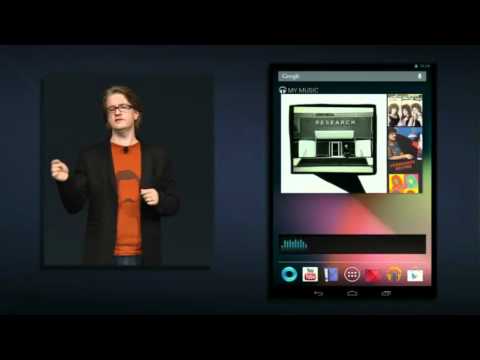
Spoiler for Spesifikasi Nexus 7:
![[OFFICIAL LOUNGE] NEXUS 7 (ME370T/G) - The Playground is Open](https://s.kaskus.id/images/2012/12/15/4998660_20121215095056.png)
Spoiler for Penghargaan Nexus 7:
![[OFFICIAL LOUNGE] NEXUS 7 (ME370T/G) - The Playground is Open](https://s.kaskus.id/images/2012/12/15/4998660_20121215095153.png)
Spoiler for Gallery:
![[OFFICIAL LOUNGE] NEXUS 7 (ME370T/G) - The Playground is Open](https://s.kaskus.id/images/2012/12/15/4998660_20121215095259.jpg)
![[OFFICIAL LOUNGE] NEXUS 7 (ME370T/G) - The Playground is Open](https://s.kaskus.id/images/2012/12/15/4998660_20121215095327.jpg)
Spoiler for Paket Penjualan Nexus 7:
-- || GOOGLE+ GROUP FOR ALL NEXUS USER || --
Google+ Group dan APK
-- | Asus Google Nexus 7 AWARDS | --
Quote:
Taipei, Feb. 27 (CNA) Asustek Computer Inc.'s Nexus 7 tablet computer,
co-branded with U.S. search engine Google Inc., was named "Best Mobile
Tablet" at the Mobile World Congress tech fair in Spain on Tuesday.
"This tablet has brought credibility to the 7-inch category and taken it to
the mass market, with the perfect combination of performance and
portability. A great all-rounder," said the panel of judges from the GSM
Association (GSMA), a trade association for the global mobile industry.
Other nominees included Apple Inc.'s iPad mini and its fourth-generation
iPad with a retina display, Amazon.com Inc.'s Kindle Fire HD 8.9, Asustek's
Transformer Infinity, and Samsung Electronics Co.'s Galaxy Note 10.1.
Google and Asustek unveiled the Nexus 7, the world's first 7-inch quad-core
tablet, in June 2012 to break into the less expensive Android tablet market.
The 8GB model is priced in the United States at US$199 and the 16GB
version is available for US$249.
The move was seen by analysts as an attempt by the two companies to
take on Amazon's Kindle Fire tablets, which are sold at lower margins in
the expectation that consumers will spend more on digital content.
Diubah oleh nexus.seven 08-06-2013 12:37
0
803.9K
10K
Thread Digembok
Mari bergabung, dapatkan informasi dan teman baru!

Android
29.7KThread•18.3KAnggota
Tampilkan semua post

doles
#3175
kalo ane sih rooting 4.2.2 pake ini gan
SEBELUM NYA,
DO ALL WITH YOUR OWN RISK
** buatlah backup kalo2 terjadi hal-hal yang tidak di inginkan
1.a Download Android SDK terbaru http://developer.android.com/sdk/index.html
1.b Extract trus buka sdk manager dan update Android Sdk Platform-tools dan google usb driver.
2.a Download SuperSU http://download.chainfire.eu/310/Sup...erSU-v1.04.zip
2.b Copy UPDATE-SuperSU-v1.04.zip ke Sdcard nexus agan
3.a Downlod recovery http://download2.clockworkmod.com/re....3-grouper.img
3.b Copy ke folder platform-tools yang ada di dalam Android Sdk yang telah agan extract tadi
4.a Download PowerCmd http://www.powercmd.com/Install_PowerCmd.exe
4.b Install PowerCmd
5.a Enable USB Debugging di Nexus 7 agan
6. Tekan dan tahan power + vol down SAMPAI nexus agan masuk ke fastboot mode
7. Colokin kabel data ke nexus dan komputer agan
8. buka PowerCmd
9. klick kanan pada folder platform-tools dan pilih PowerCmd Here
10. ketik
fastboot devices
dan pastikan device agan sudah terdeteksi
11. Ketik
fastboot flash recovery recovery-clockwork-touch-6.0.2.3-grouper.img
12. setelah selesai tekan tombol power down sampai tulisan START berubahh ke RECOVERY MODE kemudian tekan power
13. setelah masuk recovery “flash zip from SD card" dan pilih UPDATE-SuperSU-v1.04.zip
14. selesai pilih back trus “reboot system now”
Kondisi root atau tidak bisa di cek pake aplikasi root checker dari play store
untuk mengganti CWM ke TWRP tinggal install GooManager trus tekan menu>Install open revovery script
SEBELUM NYA,
DO ALL WITH YOUR OWN RISK
** buatlah backup kalo2 terjadi hal-hal yang tidak di inginkan
1.a Download Android SDK terbaru http://developer.android.com/sdk/index.html
1.b Extract trus buka sdk manager dan update Android Sdk Platform-tools dan google usb driver.
2.a Download SuperSU http://download.chainfire.eu/310/Sup...erSU-v1.04.zip
2.b Copy UPDATE-SuperSU-v1.04.zip ke Sdcard nexus agan
3.a Downlod recovery http://download2.clockworkmod.com/re....3-grouper.img
3.b Copy ke folder platform-tools yang ada di dalam Android Sdk yang telah agan extract tadi
4.a Download PowerCmd http://www.powercmd.com/Install_PowerCmd.exe
4.b Install PowerCmd
5.a Enable USB Debugging di Nexus 7 agan
6. Tekan dan tahan power + vol down SAMPAI nexus agan masuk ke fastboot mode
7. Colokin kabel data ke nexus dan komputer agan
8. buka PowerCmd
9. klick kanan pada folder platform-tools dan pilih PowerCmd Here
10. ketik
fastboot devices
dan pastikan device agan sudah terdeteksi
11. Ketik
fastboot flash recovery recovery-clockwork-touch-6.0.2.3-grouper.img
12. setelah selesai tekan tombol power down sampai tulisan START berubahh ke RECOVERY MODE kemudian tekan power
13. setelah masuk recovery “flash zip from SD card" dan pilih UPDATE-SuperSU-v1.04.zip
14. selesai pilih back trus “reboot system now”
Kondisi root atau tidak bisa di cek pake aplikasi root checker dari play store
untuk mengganti CWM ke TWRP tinggal install GooManager trus tekan menu>Install open revovery script
0