




TS
TheNumberOneFan
FIFA 13 Official Thread - Join The Club

Quote:
PLEASE READ THE RULES BEFORE ASKING/POSTING

Quote:
Devolper : EA Canada | Publisher : Electronic Arts | Genre : Sports | Release Date : 25 September 2012 US / 28 September 2012 UK
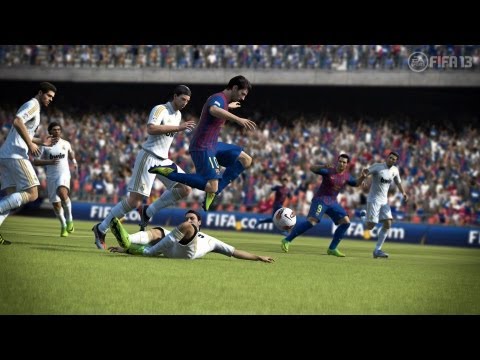

Quote:
Indeks Thread :
System Requirements :
Screenshots

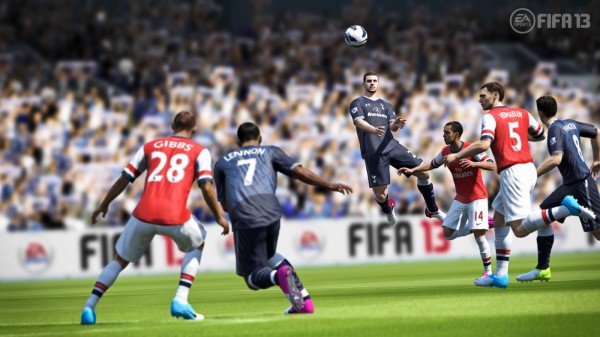
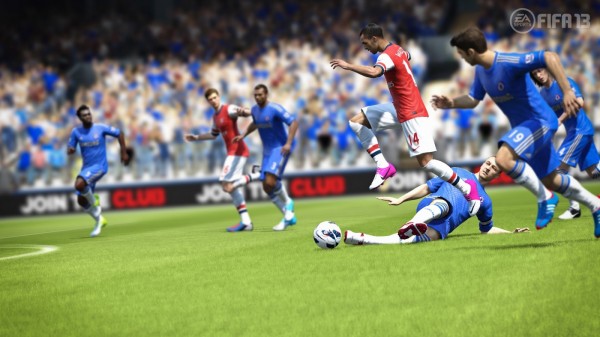
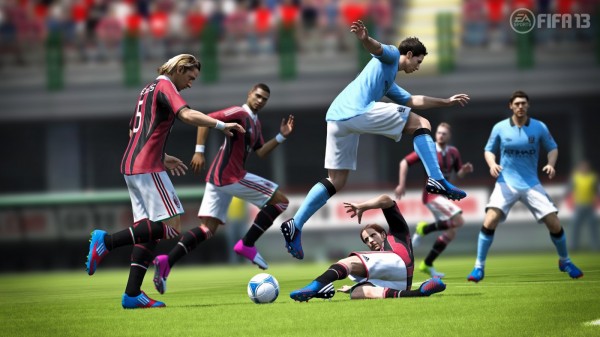
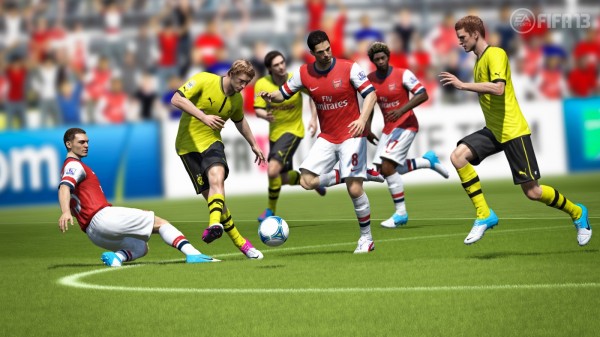
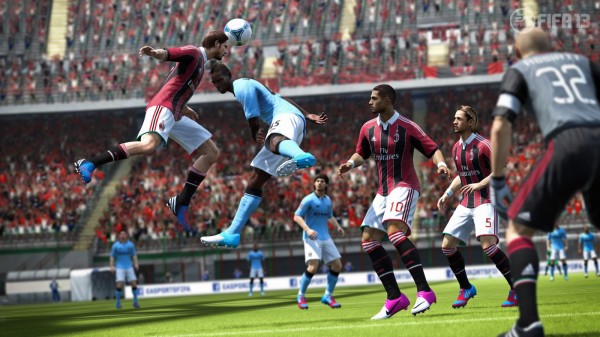
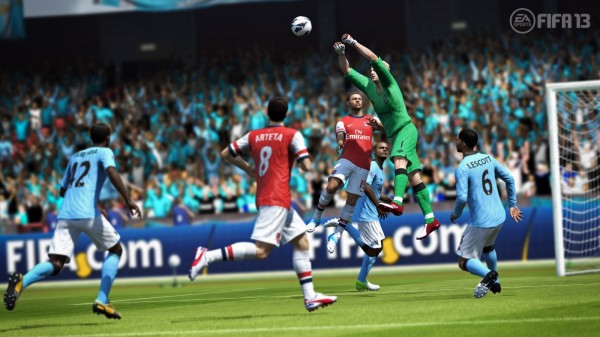


Quote:
System Requirements :
Quote:
Minimum System Requirements
OS: Windows Vista SP1 / Windows 7
CPU: 1.8 GHz Core 2 Duo
RAM: 2GB RAM for Windows Vista & Windows 7
Disc Drive: DVD-ROM at 8x Speed
Hard Drive: 8.0 GB, with additional space required for saved games and DirectX 9.0c installation
Video: 3D accelerated 256 MB video card with support for Pixel Shader 3.0
Minimum Supported Video Cards: ATI Radeon HD 3600, NVIDIA GeForce 6800GT
Sound Card: DirectX 9.0c Compatible
DirectX: 9.0c
Input: Keyboard, Mouse, Dual Analogue gamepad, VOIP Headset
Online Multiplayer: 2-22 players, 512 kbits/sec or faster
Single System Multiplayer: 2-5 players on 1 PC
Recommended System Requirements
OS: Windows Vista SP1 / Windows 7
CPU: Intel Core 2 Quad Q6600 2.4g / AMD Athlon II X4 600e 2.2g
RAM: 2GB RAM for Windows Vista & Windows 7
Disc Drive: DVD-ROM at 8x Speed
Hard Drive: 8.0 GB, with additional space required for saved games and DirectX 9.0c installation
Video: Nvidia 8800 GT / ATI Radeon HD 4650
Sound Card: DirectX 9.0c Compatible
DirectX: 9.0c
Input: Keyboard, Mouse, Dual Analogue gamepad, VOIP Headset
Online Multiplayer: 2-22 players, 512 kbits/sec or faster
Single System Multiplayer: 2-5 players on 1 PC
OS: Windows Vista SP1 / Windows 7
CPU: 1.8 GHz Core 2 Duo
RAM: 2GB RAM for Windows Vista & Windows 7
Disc Drive: DVD-ROM at 8x Speed
Hard Drive: 8.0 GB, with additional space required for saved games and DirectX 9.0c installation
Video: 3D accelerated 256 MB video card with support for Pixel Shader 3.0
Minimum Supported Video Cards: ATI Radeon HD 3600, NVIDIA GeForce 6800GT
Sound Card: DirectX 9.0c Compatible
DirectX: 9.0c
Input: Keyboard, Mouse, Dual Analogue gamepad, VOIP Headset
Online Multiplayer: 2-22 players, 512 kbits/sec or faster
Single System Multiplayer: 2-5 players on 1 PC
Recommended System Requirements
OS: Windows Vista SP1 / Windows 7
CPU: Intel Core 2 Quad Q6600 2.4g / AMD Athlon II X4 600e 2.2g
RAM: 2GB RAM for Windows Vista & Windows 7
Disc Drive: DVD-ROM at 8x Speed
Hard Drive: 8.0 GB, with additional space required for saved games and DirectX 9.0c installation
Video: Nvidia 8800 GT / ATI Radeon HD 4650
Sound Card: DirectX 9.0c Compatible
DirectX: 9.0c
Input: Keyboard, Mouse, Dual Analogue gamepad, VOIP Headset
Online Multiplayer: 2-22 players, 512 kbits/sec or faster
Single System Multiplayer: 2-5 players on 1 PC
Screenshots
Spoiler for ss:


RULES
Quote:
GENERAL RULES :
POSTING RULES :
Quote:
- Be NICE to Other Kaskusers! (except to rules breaker aka idiots)
- Gunakanlah bahasa Indonesia yang bisa dimengerti user lain.
- Selalu baca page one, dari awal sampai akhir sebelum memulai posting.
- Cek terlebih dahulu FAQagar masalah yang sudah pernah dibahas tidak diulangi-ulangi.
- No fanboy war, delete post atau bahkan ban permanen bakal langsung diberikan (dianggap rusuh)
- Dilarang PM TS atau penghuni lain menanyakan hal yang menyangkut game ini karena tidak akan dijawab. Pertanyaan harap langsung disampaikan di thread ini.
POSTING RULES :
Quote:
- Selalu usahakan menggunakan multiquote.
- Dilarang post shortlink/cashlink (adf.ly, zid*du, dsb)
- Diharuskan men-spoiler gambar yg berukuran melebihi 500x500
Quote:[spoiler=][img]gambar.jpg[img] - Diharapkan menggunakan multiquotejika ingin meng-quote postingan lebih dari satu
- Dilarang double posting dengan sengaja (pengecualian untuk sharing), absen, junk (pertamax, nice info, menuju TKP, dsb), spam, dll
- Dilarang berjualan/beriklan di thread ini.
- Dilarang menggunakan Signature dalam bentuk apapun, apalagi jual-beli.
- Dilarang post hal-hal di luar FIFA 13
Jangan protes kalo ada bata melayang, itu kesalahan Anda tidak membaca dengan cermat rules yang ada.

When you are in Rome, do as the romans do.
Di Mana Bumi Dipijak, Di Situ Langit Dijunjung.
When you are in Rome, do as the romans do.
Di Mana Bumi Dipijak, Di Situ Langit Dijunjung.
Diubah oleh TheNumberOneFan 19-11-2012 20:26
0
799.8K
Kutip
10K
Balasan
Thread Digembok
Mari bergabung, dapatkan informasi dan teman baru!

PC Games
11.3KThread•9.8KAnggota
Tampilkan semua post
TS
TheNumberOneFan
#2374
FIFA 13 ModdingWay Mod V 1.6.0 & V 1.6.2
- PAHE -
![kaskus-image]()
- PAHE -

Spoiler for Download:
1.5.0 to 1.6.0 (fixed version)
http://www.mediafire.com/?pd8122nqim1ebem
1.6.0 to 1.6.2
http://www.moddingway.com/file/30994.html
1.6.2 note : JUST UNPACK TO YOUR FIFA 13 MAIN FOLDER. NO INSTALLER NEEDED FOR THIS UPDATE
http://www.mediafire.com/?pd8122nqim1ebem
1.6.0 to 1.6.2
http://www.moddingway.com/file/30994.html
1.6.2 note : JUST UNPACK TO YOUR FIFA 13 MAIN FOLDER. NO INSTALLER NEEDED FOR THIS UPDATE
Spoiler for Install:
STEP 1
Option 1
a) Unpack this rar in your FIFA 13 main folder. Overwrite files that it asks you to do.
b) Run file ModdingWayInstaller.exe from your FIFA 13 main folder ( Run as administrator )
PLEASE BE SURE THAT FILE list.txt is in the same folder of your ModdingWayInstaller.exe
c) Ready
Option 2
a) Unpack this rar in your FIFA 13 main folder. Overwrite files that it asks you to do.
b) Using BH Editor
DOWNLOAD BH Editor from here
[url]http://www..mo*dd*ing*way..com/file/27926.html[/url]
Start FHL BH Editor and select option :
regenerate all BH-files
(take care of extern files)
c) Ready
STEP 2 - ONLY IF YOU PLAY IN ENGLISH, SPANISH, ITALIAN, GERMAN, DUTCH, RUSSIAN, POLISH, FRENCH, CZECH
Install Licensed Teams and Leagues Names
Go to your FIFA 13 / Game / Data folder.
a) Rename loc folder to loc-original
b) Rename loc-licensed to loc
Ready!
Option 1
a) Unpack this rar in your FIFA 13 main folder. Overwrite files that it asks you to do.
b) Run file ModdingWayInstaller.exe from your FIFA 13 main folder ( Run as administrator )
PLEASE BE SURE THAT FILE list.txt is in the same folder of your ModdingWayInstaller.exe
c) Ready
Option 2
a) Unpack this rar in your FIFA 13 main folder. Overwrite files that it asks you to do.
b) Using BH Editor
DOWNLOAD BH Editor from here
[url]http://www..mo*dd*ing*way..com/file/27926.html[/url]
Start FHL BH Editor and select option :
regenerate all BH-files
(take care of extern files)
c) Ready
STEP 2 - ONLY IF YOU PLAY IN ENGLISH, SPANISH, ITALIAN, GERMAN, DUTCH, RUSSIAN, POLISH, FRENCH, CZECH
Install Licensed Teams and Leagues Names
Go to your FIFA 13 / Game / Data folder.
a) Rename loc folder to loc-original
b) Rename loc-licensed to loc
Ready!
Spoiler for PLAYERS BOOT SELECTOR:
PLAYERS BOOT SELECTOR
Start this tool from your FIFA 13 main folder.
FIFA 13 MWM Selector
- Browse through players.
- You are able to assign them custom boots instead of their default one.
- Select a boot and click on Assign Boot.
- If you want to return to default boot click Restore Default.
- After you have made all changes click on SAVE CHANGES and ready!
To assign boots to your Virtual Pro search for Virtual Pro in players combo box.
NEW OPTIONS
- Select Entrance Theme Combination : You have 4 options available according to your preferences.
- Select Database : You have 3 options available
a) Default Database : is the original FIFA 13 Database. If you play online and update the rosters through EA official updates this is one of the database options for your FIFA 13.
b) Default Database Updated : is the Default FIFA 13 Database only that some referee names have been updated according to new faces we have added for them. We have tested and you won´t have problems playing online or if you continue a saved career
c) Database 2.0
d) Database 3.0
d) Database 4.0
DATABASE 2.0 ( WINTER TRANSFERS - NO NEW TEAMS )
-------------------------------------------------------------------
- Default database + Winter Transfers
- Rosters according to EA official update 5-1-2013 - Winter Transfers
- No new teams
- Kits, Boots and Balls unlocked
DATABASE 3.0 ( NEW TEAMS - NO WINTER TRANSFERS )
------------------------------------------------------------------
- Database with New Teams + Updated Rosters according to EA official update 6-12-2012 ( last one previous to Winter Transfers )
- NEW TEMS
- Kits, Boots and Balls unlocked
DATABASE 4.0 ( NEW TEAM + WINTER TRANSFERS )
-------------------------------------------------------------
- Database with New Teams + WINTER TRANSFERS
- Rosters with latest WINTER TRANSFERS
- NEW TEAMS
- Kits, Boots and Balls unlocked
- Select TV Presentation :
a) No ESPN : This disables ESPN Presentation for La Liga, Premier, UEFA CL, UEFA Europa League. You will be able to see new intros we have created for this leagues.
b) ESPN ( only for english language ) : Restore ESPN Presentation in English language.
IMPORTANT TIP
You can choose NO ESPN and you can keep ESPN Scoreboard and TV Popus easily
- Go to your FIFA 13 / Game folder and with notepad create a file named cl.ini
- Add this line :
FORCE_BROADCAST_OVERLAY_SET=8
- save
- Select Tournaments :
a) Default Tournaments (Career Mode) : You will have default tournaments in Game Modes / Tournaments. In case you would like to start a Career select this one. It´s the included by default.
b) New Tournaments ( No Career Mode) : This option will add new tournaments to Game Modes / Tournaments : UEFA CL, UEFA Europa League, World Cup, Confederations Cup, Copa America and Euro. Be sure to not a start Career Mode while this option is selected or your game will get corrupted.
Start this tool from your FIFA 13 main folder.
FIFA 13 MWM Selector
- Browse through players.
- You are able to assign them custom boots instead of their default one.
- Select a boot and click on Assign Boot.
- If you want to return to default boot click Restore Default.
- After you have made all changes click on SAVE CHANGES and ready!
To assign boots to your Virtual Pro search for Virtual Pro in players combo box.
NEW OPTIONS
- Select Entrance Theme Combination : You have 4 options available according to your preferences.
- Select Database : You have 3 options available
a) Default Database : is the original FIFA 13 Database. If you play online and update the rosters through EA official updates this is one of the database options for your FIFA 13.
b) Default Database Updated : is the Default FIFA 13 Database only that some referee names have been updated according to new faces we have added for them. We have tested and you won´t have problems playing online or if you continue a saved career
c) Database 2.0
d) Database 3.0
d) Database 4.0
DATABASE 2.0 ( WINTER TRANSFERS - NO NEW TEAMS )
-------------------------------------------------------------------
- Default database + Winter Transfers
- Rosters according to EA official update 5-1-2013 - Winter Transfers
- No new teams
- Kits, Boots and Balls unlocked
DATABASE 3.0 ( NEW TEAMS - NO WINTER TRANSFERS )
------------------------------------------------------------------
- Database with New Teams + Updated Rosters according to EA official update 6-12-2012 ( last one previous to Winter Transfers )
- NEW TEMS
- Kits, Boots and Balls unlocked
DATABASE 4.0 ( NEW TEAM + WINTER TRANSFERS )
-------------------------------------------------------------
- Database with New Teams + WINTER TRANSFERS
- Rosters with latest WINTER TRANSFERS
- NEW TEAMS
- Kits, Boots and Balls unlocked
- Select TV Presentation :
a) No ESPN : This disables ESPN Presentation for La Liga, Premier, UEFA CL, UEFA Europa League. You will be able to see new intros we have created for this leagues.
b) ESPN ( only for english language ) : Restore ESPN Presentation in English language.
IMPORTANT TIP
You can choose NO ESPN and you can keep ESPN Scoreboard and TV Popus easily
- Go to your FIFA 13 / Game folder and with notepad create a file named cl.ini
- Add this line :
FORCE_BROADCAST_OVERLAY_SET=8
- save
- Select Tournaments :
a) Default Tournaments (Career Mode) : You will have default tournaments in Game Modes / Tournaments. In case you would like to start a Career select this one. It´s the included by default.
b) New Tournaments ( No Career Mode) : This option will add new tournaments to Game Modes / Tournaments : UEFA CL, UEFA Europa League, World Cup, Confederations Cup, Copa America and Euro. Be sure to not a start Career Mode while this option is selected or your game will get corrupted.
Spoiler for Uninstall:
How to Uninstall
OPTION 1
Just copy files from Game / backup folder to your Game / folder
OPTION 2
Using BH Editor
Start FHL BH Editor and select option :
regenerate all BH-files
(ignore extern files)
Ready!
OPTION 1
Just copy files from Game / backup folder to your Game / folder
OPTION 2
Using BH Editor
Start FHL BH Editor and select option :
regenerate all BH-files
(ignore extern files)
Ready!
Quote:
Version 1.6.0 changelog
-Added Kits : Catania and Fiorentina GK
-Language Files for Spanish, English, French, German, Dutch, Russian, Polish, Portuguese, Czech
-New Faces
-New Boots
* PUMA evoSPEED - Graphic
* PUMA evoSPEED - Ghost
* Nike Tiempo Legend IV - Black/Green/White
* adidas F50 adizero III - Silver/Royal Blue
* adidas F50 adizero III - White/Royal Blue
* adidas Predator LZ - miadidas Benzema
* Nike CTR360 Maestri III - Black/Blue/Pink
* Nike Mercurial Vapor IX - Yellow/Citron/Black
* Nike Mercurial Vapor IX - Black/White/Circuit
* Nike Mercurial Vapor IX - Silver/Black/Green
-Added Jurgen Klopp
-Added new supporters banners.
Version 1.6.2 changelog
- Database 4.0 :
* Fixed problem with loans that made the game to crash.
* Fixed formation problems : Mallorca, Aston Villa, Valenciennes and Stade Brest.
To apply this updated 4.0 Database once you have installed this update go to MW Selector, select database 4.0 and apply database.
You will have to start a new career and be sure to select default squads.
- Jack Butland Face Fixed ( missing textures )
- Updated MW Selector code that will prevent some 13 Runtime Error Type Mismatch.
-Added Kits : Catania and Fiorentina GK
-Language Files for Spanish, English, French, German, Dutch, Russian, Polish, Portuguese, Czech
-New Faces
-New Boots
* PUMA evoSPEED - Graphic
* PUMA evoSPEED - Ghost
* Nike Tiempo Legend IV - Black/Green/White
* adidas F50 adizero III - Silver/Royal Blue
* adidas F50 adizero III - White/Royal Blue
* adidas Predator LZ - miadidas Benzema
* Nike CTR360 Maestri III - Black/Blue/Pink
* Nike Mercurial Vapor IX - Yellow/Citron/Black
* Nike Mercurial Vapor IX - Black/White/Circuit
* Nike Mercurial Vapor IX - Silver/Black/Green
-Added Jurgen Klopp
-Added new supporters banners.
Version 1.6.2 changelog
- Database 4.0 :
* Fixed problem with loans that made the game to crash.
* Fixed formation problems : Mallorca, Aston Villa, Valenciennes and Stade Brest.
To apply this updated 4.0 Database once you have installed this update go to MW Selector, select database 4.0 and apply database.
You will have to start a new career and be sure to select default squads.
- Jack Butland Face Fixed ( missing textures )
- Updated MW Selector code that will prevent some 13 Runtime Error Type Mismatch.
Quote:
Diubah oleh TheNumberOneFan 15-01-2013 16:26
0
Kutip
Balas