


- Beranda
- Electronics
COWON User Lounge
...


TS
mona
COWON User Lounge
COWON User Lounge
yang punya cowon, minat sama produk cowon atau mau kenal lebih jauh sama produk2 MP3 n PMP buatan COWON silahkan masuk n bergabung disini
minta ijin ya mod sama om kwonglung buat bikin rumah baru, biar lebih update infonya tentang cowon
yang punya cowon, minat sama produk cowon atau mau kenal lebih jauh sama produk2 MP3 n PMP buatan COWON silahkan masuk n bergabung disini
minta ijin ya mod sama om kwonglung buat bikin rumah baru, biar lebih update infonya tentang cowon
Quote:
New Products from COWON :
Quote:
Cowon iAudio E3
iAudio E2 successor

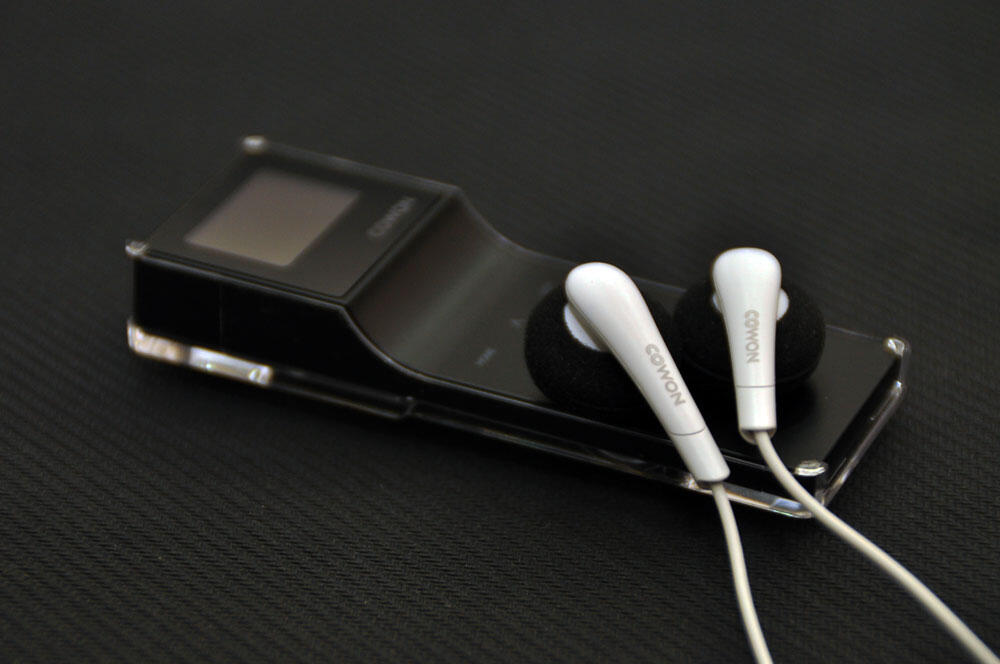
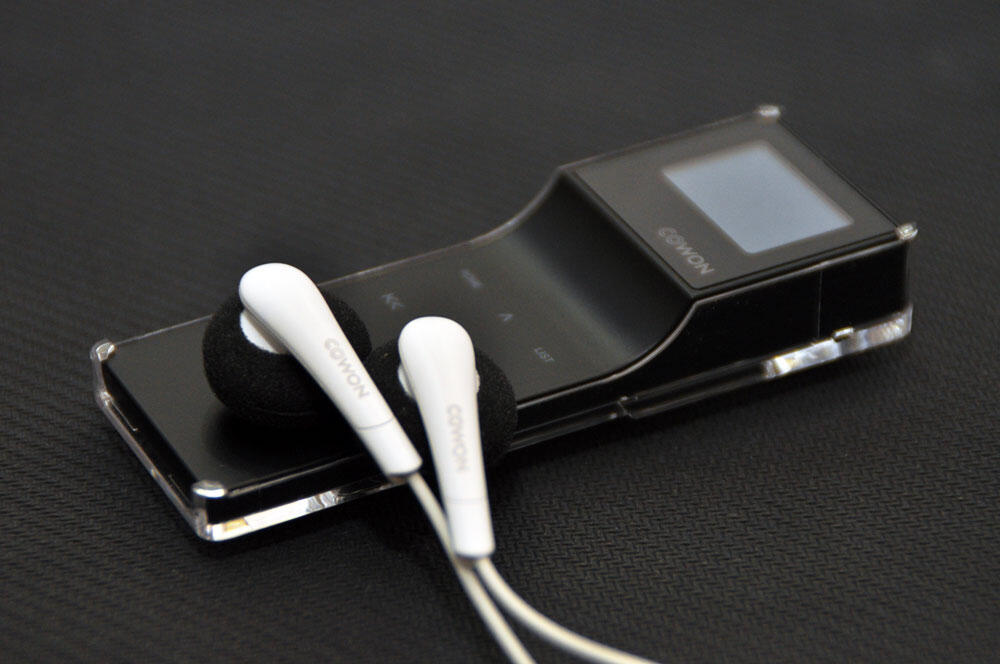
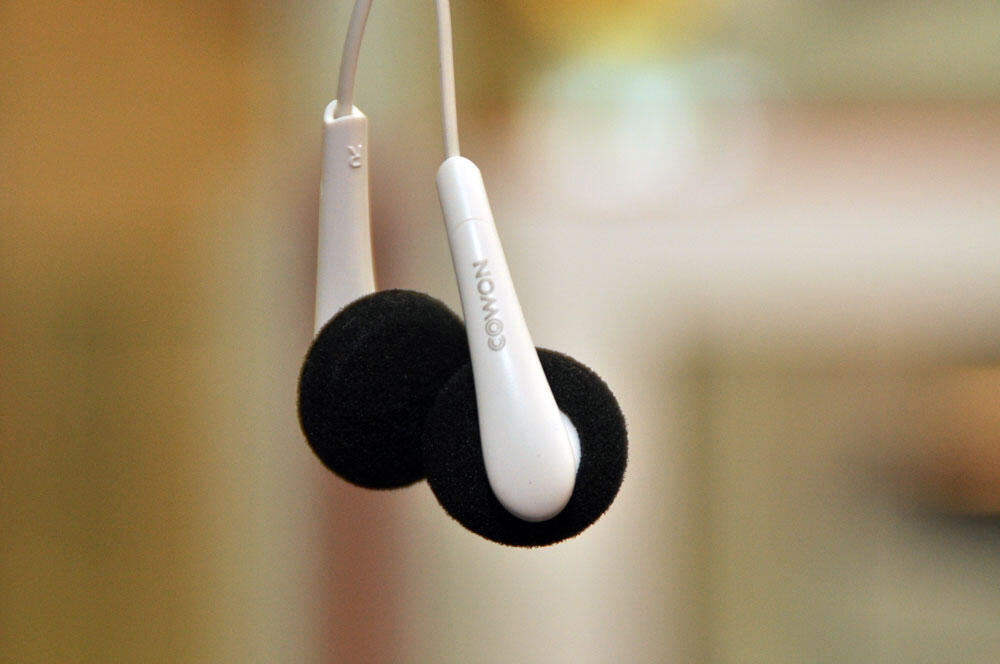
what's the difference?
iAudio E2 successor
Spoiler for E3:
what's the difference?
- JetEffect & BBE
- OLED Display
- Dot Matrix GUI
- Fitness Mode
- Capacitive Touch Pad
- G-Sensor
- Brand new earphone, Cowon EX2
Quote:
Cowon iAudio9+
iAudio9 successor

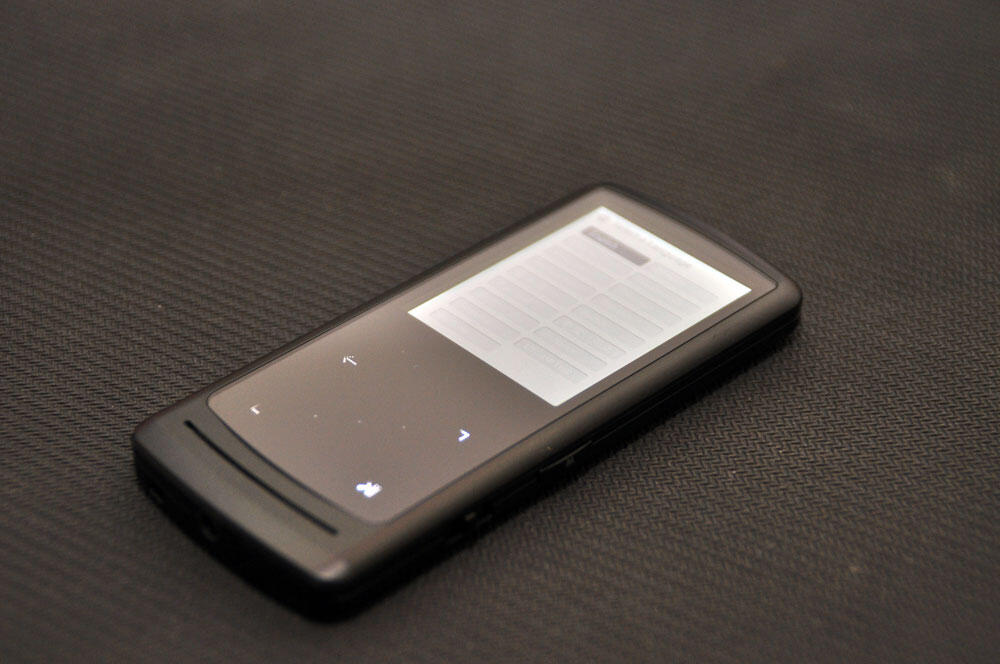
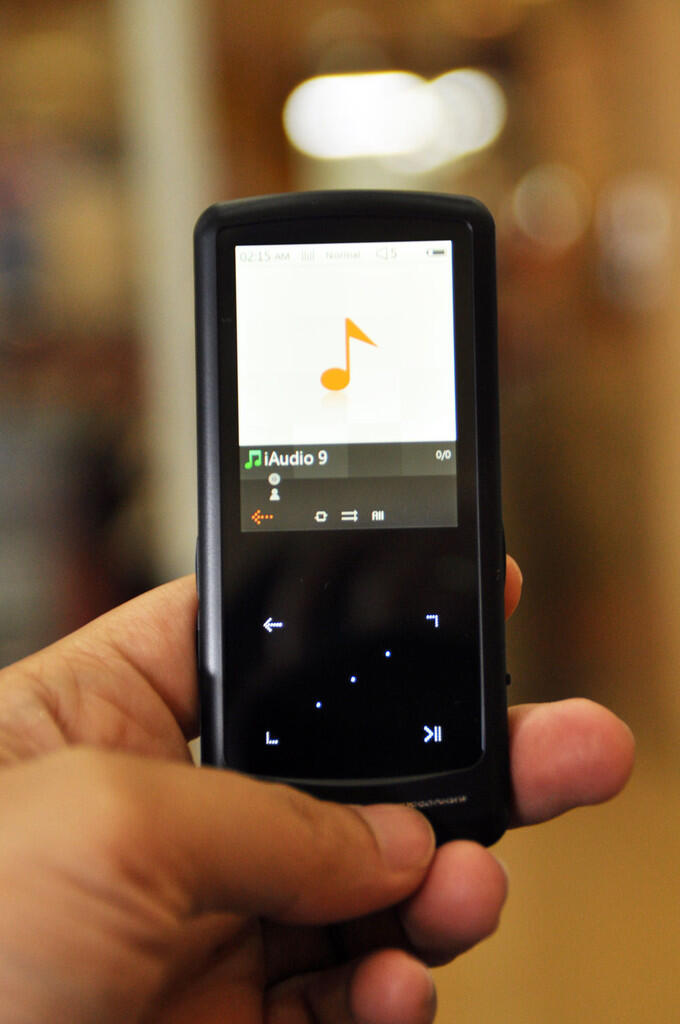
what's the difference?
iAudio9 successor
Spoiler for i9+:
what's the difference?
- With built in speaker
- JetEffect 5 & BBE+
COWON yang beredar di Indonesia :
1. COWON iAudio E2

Spoiler for E2:
Pilihan Warna :

Saya terima nikahnya dengan maskimpoi sebongkah berlian dan cowon E2 dibayar kredit..

Saya terima nikahnya dengan maskimpoi sebongkah berlian dan cowon E2 dibayar kredit..
Quote:
sedikit review 
Bersifat subyektif, perbedaan pendapat sangat mungkin terjadi
Bersifat subyektif, perbedaan pendapat sangat mungkin terjadi
Cowon E2, pertama kali liat bentuknya tertarik dengan desain nya yang lumayan cute.. kayak gembok  agak skeptis waktu awalnya, krn sy sendiri ga terlalu tertarik dengan screenless mp3 player, ga suka makenya karena ga bisa liat lagu apa aja yg ada di dalem n ga tau lagu apa yg lagi dimainin, n satu yg pasti ga bisa dipake buat liat video
Unboxing E2, buka box plastik transparan nya, perasaan pertama megang E2 bodinya ringan, metal ring nya keren. disampingnya ada tombol, 3 dikanan, 3 dikiri. paket bawaannya dapet earbuds, usb cable sama manual book. usb cablenya ada 2 versi yg pake kabel sama yg ga pake kabel. di dalem E2 nya ada manual book yg lebih lengkap dalam bentuk pdf, lumayan sangat membantu buat ngartiin kode lampu merah ijo yg ada di E2.
penasaran suaranya, nyalain E2 dan terdengarlah lagu kebangsaan nya cowon : Friends & Lover perpindahan mode BBE cukup mudah, tinggal tekan tombol bbe/shuffle n keluar suara cewe yg jelasin : normal, BBE, BBE Viva, BBE Viva2, BBE Mach3Bass, BBE MP, BBE Headphone, BBE Headphone2, BBE Headphone3 kalo mau shuffle tekan tombol BBE/shuffle agak lama.
soal SQ, karena sy ga terlalu pandai menjelaskan mendingan sy ambil mini reviewnya om Yui Shimokawa, ijin quote ya omm
agak skeptis waktu awalnya, krn sy sendiri ga terlalu tertarik dengan screenless mp3 player, ga suka makenya karena ga bisa liat lagu apa aja yg ada di dalem n ga tau lagu apa yg lagi dimainin, n satu yg pasti ga bisa dipake buat liat video Unboxing E2, buka box plastik transparan nya, perasaan pertama megang E2 bodinya ringan, metal ring nya keren. disampingnya ada tombol, 3 dikanan, 3 dikiri. paket bawaannya dapet earbuds, usb cable sama manual book. usb cablenya ada 2 versi yg pake kabel sama yg ga pake kabel. di dalem E2 nya ada manual book yg lebih lengkap dalam bentuk pdf, lumayan sangat membantu buat ngartiin kode lampu merah ijo yg ada di E2.
penasaran suaranya, nyalain E2 dan terdengarlah lagu kebangsaan nya cowon : Friends & Lover
perpindahan mode BBE cukup mudah, tinggal tekan tombol bbe/shuffle n keluar suara cewe yg jelasin : normal, BBE, BBE Viva, BBE Viva2, BBE Mach3Bass, BBE MP, BBE Headphone, BBE Headphone2, BBE Headphone3 kalo mau shuffle tekan tombol BBE/shuffle agak lama. soal SQ, karena sy ga terlalu pandai menjelaskan mendingan sy ambil mini reviewnya om Yui Shimokawa, ijin quote ya omm
Quote:
Original Posted By Yui ShimokawaSound Quality: seperti yg gw katakan diatas, SQ brg mini ini sangat memuaskan ... gw uda pernah jajal semua Gen dr iPod Shuffle lewat semua, Sansa Clip ato Clip+ lewat jg coz klo Sansa IMO kebanyakan bumbu2nya jd ga natural ... nah, dng EQ BBE Normal, semua standard hanya mid agak maju dikit tp dengan SQ sprt itu sudah bs buat merem melek yg dengerin ... )
nah, coba pake BBE Viva & Viva 2 susah juga bedainnya tp Viva 2 bass agak nambah dikit ... ganti BBE Mach3Bass jd Bassy tp ttp krg utk Basshead sejati krn Cowon bkn DAP special Basshead ... BBE MP gw ga terlalu bisa rasain bedanya ... utk BBE Headphone, nah ini utk yg pengen Staging yg megah boleh dijajal ... BBE Headphone 2 staging jg cukup megah tp masih kalah dng BBE Headphone tp Vokal rada maju dikit & utk BBE Headphone 3 utk type Vokal Forward & Bass (gw demen BBE Headphone & Mach3Bass)
Music Type & Testing : secara garis besar, E2 ini hampir cocok utk semua genre tp jelas ada kelemahan yg menonjol ... yg keliatan jelas, DAP ini krg cocok utk RnB, House Music, & type2 lagu utk Basshead ... tp menonjol utk Pop, Jazz, Audiophile, & music2 yg ga terlalu ngebass bgt ... utk Audiophile kimpoiin dng BBE Headphone kalo buat ane mantab cuy ...
Conclusion : DAP ini sangat cocok bagi org yg budgetnya ga terlalu gede tp doyan SQ, org yg suka bepergian apalagi motor rider pasti enak bgt pake ni DAP ga ribet (ane jg bli ni DAP utk tujuan ini soalnya)
dng harga yg relatif murah, SQ sebaik ini, Design unik & cantik serta cocok untuk semua kalangan kenapa tidak? :maho
NB :
- Review murni dari kuping & testing ane sendiri jadi tiap org so pasti berbeda
- Mohon maaf kalo ada yg salah, maklum cuma nubitol & kuping kaleng juragan
- Tested with : dBE Acoustic PR-18, Superlux HD 481F, & Yuin PK3
- Tested with : Yao si Ting, Nat King Cole, Mikuni Shimokawa, Nana Mizuki, Air Supply, etc with MP3 Format, Ripped from Original CD
nah, coba pake BBE Viva & Viva 2 susah juga bedainnya tp Viva 2 bass agak nambah dikit ... ganti BBE Mach3Bass jd Bassy tp ttp krg utk Basshead sejati krn Cowon bkn DAP special Basshead ... BBE MP gw ga terlalu bisa rasain bedanya ... utk BBE Headphone, nah ini utk yg pengen Staging yg megah boleh dijajal ... BBE Headphone 2 staging jg cukup megah tp masih kalah dng BBE Headphone tp Vokal rada maju dikit & utk BBE Headphone 3 utk type Vokal Forward & Bass (gw demen BBE Headphone & Mach3Bass)
Music Type & Testing : secara garis besar, E2 ini hampir cocok utk semua genre tp jelas ada kelemahan yg menonjol ... yg keliatan jelas, DAP ini krg cocok utk RnB, House Music, & type2 lagu utk Basshead ... tp menonjol utk Pop, Jazz, Audiophile, & music2 yg ga terlalu ngebass bgt ... utk Audiophile kimpoiin dng BBE Headphone kalo buat ane mantab cuy ...
Conclusion : DAP ini sangat cocok bagi org yg budgetnya ga terlalu gede tp doyan SQ, org yg suka bepergian apalagi motor rider pasti enak bgt pake ni DAP ga ribet (ane jg bli ni DAP utk tujuan ini soalnya)
dng harga yg relatif murah, SQ sebaik ini, Design unik & cantik serta cocok untuk semua kalangan kenapa tidak? :maho
NB :
- Review murni dari kuping & testing ane sendiri jadi tiap org so pasti berbeda
- Mohon maaf kalo ada yg salah, maklum cuma nubitol & kuping kaleng juragan
- Tested with : dBE Acoustic PR-18, Superlux HD 481F, & Yuin PK3
- Tested with : Yao si Ting, Nat King Cole, Mikuni Shimokawa, Nana Mizuki, Air Supply, etc with MP3 Format, Ripped from Original CD
review E2 lainnya dari anythingbutipod : review
FAQ E2 :
Q: kapasitasnya berapa GB?
A: 2GB dan 4GB
Q: ada slot memorycard buat nambah kapasitas?
A: E2 ga punya slot ext memory
Q: charging berapa lama n bisa dipake berapa lama?
A: berdasarkan spek dari web nya cowon, E2 butuh waktu 1,5jam untuk fully charged, playing time up to 11 hours and 30 minutes (berdasar manufacturer's test, waktu sebenarnya bisa berbeda
)Q: cara update firmware gimana?
A: donload firmware dari http://www.cowonglobal.com/ dan pilih update firmware untuk E2, ikuti langkah2nya disitu, udah cukup jelas penjelasannya, baca juga warning n cautions nya yaa
Q: bisa skip by folder ga? kalo lagunya banyak cape kalo harus skip by track

A: bisa, download firmware E2_1.10 dan install ke E2, cara skip by folder nya :To skip to the next folder, press FF button shortly, and within 2 seconds, press and hold FF button. (you will hear water drop sound) To skip to the previous folder, press REW button shortly, and within 2 seconds, press and hold REW button. (you will hear water drop sound) Move to the first song if there is no folder. Move to the first part of the song if there is only one song. Skip by folder feature is not supported in shuffle mode.
Q: E2 sy ga bisa nyala n ga bisa kedetec di pc
 harus diapain?
A: Langkah pertama ambil paper clip, buka jepitan paper clip n colok reset button yang ada di belakang bodi E2
biasanya cara ini cukup ampuh buat ngatasin E2 yg ngambek. pastikan kalo E2 juga udah fully charged, siapa tau ga bisa nyala gara2 keabisan batere Diubah oleh mona 14-07-2014 11:53
0
245.6K
4.5K
Thread Digembok
Mari bergabung, dapatkan informasi dan teman baru!

Electronics
6.4KThread•3KAnggota
Tampilkan semua post

blackyupi
#1660
Buat agan2 yang udah pake Z2 dan masih susah install aplikasi, mungkin bisa coba tutorial rooting android Z2 di web iaudiophile.net
Ini juga ada contoh recovery mode jika terjadi apa2 ama Z2 di web iaudiophile.net
PS : Ane belon punya Cowon Z2, semoga aja membantu.
Spoiler for Tutorial Root and Market Hack:
Ini juga ada contoh recovery mode jika terjadi apa2 ama Z2 di web iaudiophile.net
Spoiler for Z2 recovery mode:
Quote:
Original Posted By Joe680830►hi,all
if android system crash or can't boot,
Z2 recovery mode:
1.power off
2.play button+power button
![kaskus-image]()
3.home button(middle)
![kaskus-image]()
just Copy and paste "Update.zip" to the root folder of SD card
and install the "update.zip"
if android system crash or can't boot,
Z2 recovery mode:
1.power off
2.play button+power button

3.home button(middle)

just Copy and paste "Update.zip" to the root folder of SD card
and install the "update.zip"
PS : Ane belon punya Cowon Z2, semoga aja membantu.
0