


- Beranda
- CCPB - Shareware & Freeware
Firefox Extreme Speed Edition
...


TS
orientalcaesar
Firefox Extreme Speed Edition
Firefox Extreme Speed Edition - Unlock & Maximize Firefox Performance !
Annoyed by Firefox Slow Startup Time ? Troubled by Firefox slow browsing ? Install FESE (Firefox Extreme Speed Edition) now to regain your Firefox Speed ! It has the best combination of : Firefox Speed Optimized + RAMDISK+ Speed addons+ HandyCache which allows you to Unlock & Maximize your Firefox performance !

Terganggu oleh Waktu Startup Firefox Slow? Bermasalah dengan browsing Firefox lambat? Install FESE (Firefox Extreme Edition Speed) sekarang untuk mendapatkan kembali Anda Speed Firefox! Ia memiliki kombinasi terbaik: Firefox Speed Dioptimalkan + RAMDISK + Speed addons (addons local load+scripts) + HandyCache yang memungkinkan Anda untuk Unlock & Maksimalkan performa Firefox![/quote]
Here are some key features of FESE:
+ 100% Firefox Source
+ Speed up Firefox StartUp Time
+ Speed up Firefox browsing speed
+ Save Internet bandwidth
+ Improve Hard disk, CPU, RAM lifetime
UPDATE FESE III
+ Developer: Tangtocnet.com
+ License/Price: Freeware/Free
+ Size/OS : 20 MB/ Win 7 & Win Xp
+ Category : Web Browser
Requirements:
+ Win 7/ Win Xp
+ Pentium 233 MHz (Recommended: Pentium 500MHz or greater)
+ 1GB RAM for Win Xp, 2GB for Win 7
+ 100 or 150 MB RAMDISK space
Ps : Apapun web browser yang Anda gunakan, Anda harus menghadapi ISU Defragmentation HDD Anda, sehingga RAMDISK akan lebih aman dan gegas!
RAMDISK Terbaik untuk XP RAMDISK Vsuite, free edition
Win 7 adalah Dataram.
Cukup dng membuat RAMDISK dan mengkopi/salinan FESE II folder pada RAMDISK, Anda sudah selesai!
Petunjuk melalui video:
PS : Untuk addons pada FESE sangat disarankan menggunakan addons local load+Scripts local load extendeddan HandyCache untuk mendapatkan hasil yg lebih maksimal lagi.
 : : :
: : :
Cara Membackup FESE
sumber:

Annoyed by Firefox Slow Startup Time ? Troubled by Firefox slow browsing ? Install FESE (Firefox Extreme Speed Edition) now to regain your Firefox Speed ! It has the best combination of : Firefox Speed Optimized + RAMDISK+ Speed addons+ HandyCache which allows you to Unlock & Maximize your Firefox performance !
Terganggu oleh Waktu Startup Firefox Slow? Bermasalah dengan browsing Firefox lambat? Install FESE (Firefox Extreme Edition Speed) sekarang untuk mendapatkan kembali Anda Speed Firefox! Ia memiliki kombinasi terbaik: Firefox Speed Dioptimalkan + RAMDISK + Speed addons (addons local load+scripts) + HandyCache yang memungkinkan Anda untuk Unlock & Maksimalkan performa Firefox![/quote]
Quote:
Original Posted By tenebaum►Mangtabz banget gan..maap lom bisa ngasih yang ijo masih abu² ..cm mo bantu rate dan sedikit testi aja...taruh pegwan juga ok gan


..cm mo bantu rate dan sedikit testi aja...taruh pegwan juga ok gan
Spoiler for before:
Spoiler for after:
Here are some key features of FESE:
+ 100% Firefox Source
+ Speed up Firefox StartUp Time
+ Speed up Firefox browsing speed
+ Save Internet bandwidth
+ Improve Hard disk, CPU, RAM lifetime
Quote:
UPDATE FESE III
Spoiler for fese III:
+ Developer: Tangtocnet.com
+ License/Price: Freeware/Free
+ Size/OS : 20 MB/ Win 7 & Win Xp
+ Category : Web Browser
Requirements:
+ Win 7/ Win Xp
+ Pentium 233 MHz (Recommended: Pentium 500MHz or greater)
+ 1GB RAM for Win Xp, 2GB for Win 7
+ 100 or 150 MB RAMDISK space
Cara instal FESE :
Quote:
Ps : Apapun web browser yang Anda gunakan, Anda harus menghadapi ISU Defragmentation HDD Anda, sehingga RAMDISK akan lebih aman dan gegas!
RAMDISK Terbaik untuk XP RAMDISK Vsuite, free edition
Code:
http://www.romexsoftware.com/en-us/vsuite-ramdisk/download.html


full edition

[url=http://www.kaskus.co.id/showpost.php?p=561346787&postcount=1195]VSuite.Ramdisk.Professional.v4.3.6127.1603.FULL[/url]
Win 7 adalah Dataram.
Code:
http://www.filehippo.com/download_ramdisk/
Cukup dng membuat RAMDISK dan mengkopi/salinan FESE II folder pada RAMDISK, Anda sudah selesai!
Petunjuk melalui video:
Code:
http://www.kaskus.co.id/showpost.php?p=446564135&postcount=9
PS : Untuk addons pada FESE sangat disarankan menggunakan addons local load+Scripts local load extendeddan HandyCache untuk mendapatkan hasil yg lebih maksimal lagi.
: : : Cara Membackup FESE
Quote:
sumber:
Quote:
0
109K
1.6K

Komentar yang asik ya
Mari bergabung, dapatkan informasi dan teman baru!

CCPB - Shareware & Freeware
8.7KThread•6.9KAnggota
Tampilkan semua post
TS
orientalcaesar
#1058
FESE III: Memperbaiki startup lambat untuk Firefox 7
FESE III (Firefox Speed Extreme Edition III) is a software based on Firefox 7 to help overcome slow start, put the features in the long run cause eats RAM => Firefox RAM 7 has also dropped by more than => Help Firefox is always running in like new condition!
atau
Host VN
FESE III fitur:
Petunjuk instalasi FESE III (HD 720 tampilan Layar Penuh paling jelas)
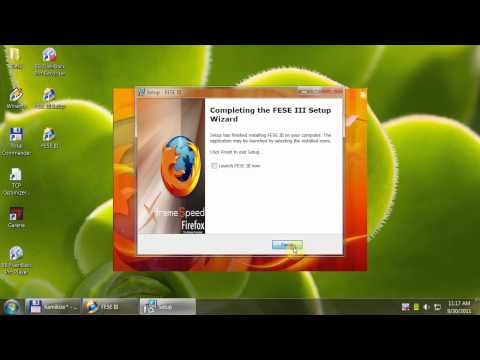
To eat less RAM, more CPU speed used to add the addon (most are very beneficial as Stop Autoplay on Flash pages more):http://tangtocnet.com/index.php?show...post&p=2496315
Enter addons, bookmarks, passwords from Firefox to FESE III:
Backup FESE :
In the old Firefox> Type about:supportin the address bar> Open Containing Folder copy the following files into the installation directory FESE III \ PortableData \ AppData \ Mozilla \ Firefox \ Profiles \ Feseprof.default:
MemShrink Apa yang baru?
FESE III 7 and Firefox, inherited features from the project down MemShrink RAM, especially when you type about:memoryin the address bar, Firefox will tell you exactly what components make up RAM, here are guidelines about : memory
From guidelines on how the site shows up how much RAM, the Profile component accounts for how much RAM!
RAM places.sqlite So how to account for that?
Each time you visit a web page any time, Firefox will write a history (History) on file places.sqlite (places.sqlite to type about: support in the address bar> Open Containing Folder). Assuming an average day your on 100 web pages, Firefox is a May 3000 recorded history, a record 36,000 years of history! When you start, Firefox must download 36000 history => so much to download => it! Not to mention when you type in the address bar, Firefox must be filtered out in history to find the 36,000 pages that were visited more often by keyword and thus easier to move!
Not recorded history, Firefox also recorded bookmarks (Bookmark), mark each additional page => Firefox as the load is heavy => demand on RAM => it!
So in the long run history will feature up delay Firefox, so FESE III has disabled this feature off! A stop loss on RAM for Firefox, on the other hand to avoid overflow RAMDisk help increase stability FESE III!
![kaskus-image]()
Konfigurasi about:config (prefs.js) dari FESE III
Bagi siapa saja yang ingin belajar lebih lanjut konfigurasi dari FESE III:
Quote:
FESE III (Firefox Speed Extreme Edition III) is a software based on Firefox 7 to help overcome slow start, put the features in the long run cause eats RAM => Firefox RAM 7 has also dropped by more than => Help Firefox is always running in like new condition!
atau
Host VN
FESE III fitur:
Quote:
Petunjuk instalasi FESE III (HD 720 tampilan Layar Penuh paling jelas)
To eat less RAM, more CPU speed used to add the addon (most are very beneficial as Stop Autoplay on Flash pages more):http://tangtocnet.com/index.php?show...post&p=2496315
Enter addons, bookmarks, passwords from Firefox to FESE III:
Backup FESE :
In the old Firefox> Type about:supportin the address bar> Open Containing Folder copy the following files into the installation directory FESE III \ PortableData \ AppData \ Mozilla \ Firefox \ Profiles \ Feseprof.default:
Quote:
MemShrink Apa yang baru?
FESE III 7 and Firefox, inherited features from the project down MemShrink RAM, especially when you type about:memoryin the address bar, Firefox will tell you exactly what components make up RAM, here are guidelines about : memory
Spoiler for komponen ram:
From guidelines on how the site shows up how much RAM, the Profile component accounts for how much RAM!
RAM places.sqlite So how to account for that?
Each time you visit a web page any time, Firefox will write a history (History) on file places.sqlite (places.sqlite to type about: support in the address bar> Open Containing Folder). Assuming an average day your on 100 web pages, Firefox is a May 3000 recorded history, a record 36,000 years of history! When you start, Firefox must download 36000 history => so much to download => it! Not to mention when you type in the address bar, Firefox must be filtered out in history to find the 36,000 pages that were visited more often by keyword and thus easier to move!
Not recorded history, Firefox also recorded bookmarks (Bookmark), mark each additional page => Firefox as the load is heavy => demand on RAM => it!
So in the long run history will feature up delay Firefox, so FESE III has disabled this feature off! A stop loss on RAM for Firefox, on the other hand to avoid overflow RAMDisk help increase stability FESE III!

Konfigurasi about:config (prefs.js) dari FESE III
Bagi siapa saja yang ingin belajar lebih lanjut konfigurasi dari FESE III:
Quote:
0