



TS
TCLVikerz
.:FIFA Manager 12 official thread:.
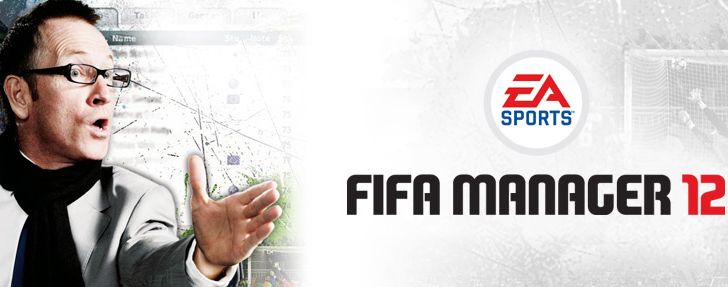
FIFA MANAGER 12 yang akan dirilis tahun ini adalah edisi kesebelas, berfokus pada mode offline dan lebih dari 700 fitur yang baru dan yang dikembangkan. Sebagai manajer di fm12, anda memiliki kontrol penuh atas manajemen sebuah klub sepak bola modern. Dalam permainan anda bertanggung jawab untuk line-up, taktik dan pelatihan tim anda, untuk transfer pemain yang tepat dan perluasan fasilitas klub dan stadion.
Fitur khusus fm12 adalah lisensi fifa, fifa 3d engine, lebih dari 41.000 pemain berlisensi, 13.000 di antaranya datang dengan gambar pemain yang asli, player manager dan national team manager mode, create-a-club mode dan match prognosis tool serta comprehensive editor yang unik.
Quote:
3D Match
Fitur khusus tahun ini adalah 3d match untuk fifa manager 12. Daerah ini adalah yang paling digemari oleh para pemain, sehingga tahun ini seluruh tim yang terdiri dari desainer, seniman grafis dan programer telah menempatkan logika seluruh mode 3d untuk pengujian dan benar-benar memprogram bagian besar dari itu.
Ai pemain yang baru, misalnya, dan kemajuan dalam hal substitusi, taktik dan perilaku manajer lawan, misalnya setelah pemain diusir.interface baru yang intuitif memungkinkan anda untuk mengambil semua data yang relevan dengan permainan dalam beberapa detik dan mengeluarkan instruksi taktik yang tepat.


Club Facilities
25 bangunan dengan total 289 tingkat konfigurasi direproduksi secara rinci. Selain itu ada sampai tiga stadion dengan sampai 120.000 kursi langsung pada dasar klub.
Bangunan berusia harus direnovasi. Setiap tingkat memiliki dampak yang spesifik pada daerah lain dari permainan. Sebagai pemain, anda terus-menerus dihadapkan dengan keputusan untuk membuat dan mengembangkan strategi yang jenius dalam hal bagaimana anda ingin mengatur klub anda di masa depan.


Finances
Sektor keuangan di fifa manager 12 juga baru. Klub dan pemain harus terlebih dahulu mendapatkan kepercayaan dari pasar keuangan melalui keberhasilan. Pendapatan yang realistis dari sponsor utama membantu mencerminkan perbedaan besar antara klub besar dengan klub yang lebih kecil dalam permainan.
Sebuah pertukaran saham dengan saham klub, tentu saja ada. Di sektor sponsor ada juga banyak perbaikan, seperti piramida sponsor atau kampanye sponsor untuk mendapatkan mitra baru. Selain itu, ada pilihan di fifa manager 12 yang dapat melakukan pertukaran dengan sponsor, dengan tujuan untuk membahagiakan sponsor.

Transfer Market
Pada bagian transfer anda sekarang dapat mencoba pemain dalam pertandingan uji coba atau pelaksanaan analisis rinci dari skuad sehingga titik lemah tim secara khusus dapat diketahui. Karena kenyataan bahwa semua manajer ai menggunakan fitur ini saat menganalisa squad, transfer akan sekali lagi menjadi lebih realistis. Dengan cara ini klub ai juga dapat uang tunai dari bintang-bintang mahal yang tidak ingin memperpanjang kontrak mereka sebelum kontrak mereka berakhir.

Classic Areas in a NEW look
Berbagai seluruh pilihan baru akan tersedia di kalender anda. Dari acara amal sampai permintaan pertandingan persahabatan dan mengembangkan sampai tes laktat, tidak ada keinginan yang tersisa tak terpenuhi.
Di fifa manager 12 latihan dapat direncanakan dan diimplementasikan pada setiap hari di masing-masing unit. Perkembangan pemain dibuat lebih realistis di sini yang membuat permainan lebih menantang terutama pada tingkat kesulitan yang lebih tinggi. Seorang pelatih kebugaran khusus kini juga akan menawarkan jasanya dari awal musim.
Dalam "weekly progress" yang sekarang dapat dikonfigurasi anda dapat memilih statistik favorit anda dengan cara yang ditargetkan dan, misalnya, tepatnya trek pelatihan atau kemajuan bangunan pada fasilitas klub.
Instant result, kerjasama dengan board, player talks, wawancara dan fitur kehidupan pribadi juga dikembangkan.


Fitur khusus tahun ini adalah 3d match untuk fifa manager 12. Daerah ini adalah yang paling digemari oleh para pemain, sehingga tahun ini seluruh tim yang terdiri dari desainer, seniman grafis dan programer telah menempatkan logika seluruh mode 3d untuk pengujian dan benar-benar memprogram bagian besar dari itu.
Ai pemain yang baru, misalnya, dan kemajuan dalam hal substitusi, taktik dan perilaku manajer lawan, misalnya setelah pemain diusir.interface baru yang intuitif memungkinkan anda untuk mengambil semua data yang relevan dengan permainan dalam beberapa detik dan mengeluarkan instruksi taktik yang tepat.
Spoiler for screenshot:
Spoiler for "":
Spoiler for "":
Spoiler for "":
Spoiler for "":
Club Facilities
25 bangunan dengan total 289 tingkat konfigurasi direproduksi secara rinci. Selain itu ada sampai tiga stadion dengan sampai 120.000 kursi langsung pada dasar klub.
Bangunan berusia harus direnovasi. Setiap tingkat memiliki dampak yang spesifik pada daerah lain dari permainan. Sebagai pemain, anda terus-menerus dihadapkan dengan keputusan untuk membuat dan mengembangkan strategi yang jenius dalam hal bagaimana anda ingin mengatur klub anda di masa depan.
Spoiler for screenshot:
Spoiler for "":
Spoiler for "":
Finances
Sektor keuangan di fifa manager 12 juga baru. Klub dan pemain harus terlebih dahulu mendapatkan kepercayaan dari pasar keuangan melalui keberhasilan. Pendapatan yang realistis dari sponsor utama membantu mencerminkan perbedaan besar antara klub besar dengan klub yang lebih kecil dalam permainan.
Sebuah pertukaran saham dengan saham klub, tentu saja ada. Di sektor sponsor ada juga banyak perbaikan, seperti piramida sponsor atau kampanye sponsor untuk mendapatkan mitra baru. Selain itu, ada pilihan di fifa manager 12 yang dapat melakukan pertukaran dengan sponsor, dengan tujuan untuk membahagiakan sponsor.
Spoiler for screenshot:
Transfer Market
Pada bagian transfer anda sekarang dapat mencoba pemain dalam pertandingan uji coba atau pelaksanaan analisis rinci dari skuad sehingga titik lemah tim secara khusus dapat diketahui. Karena kenyataan bahwa semua manajer ai menggunakan fitur ini saat menganalisa squad, transfer akan sekali lagi menjadi lebih realistis. Dengan cara ini klub ai juga dapat uang tunai dari bintang-bintang mahal yang tidak ingin memperpanjang kontrak mereka sebelum kontrak mereka berakhir.
Spoiler for screenshot:
Classic Areas in a NEW look
Berbagai seluruh pilihan baru akan tersedia di kalender anda. Dari acara amal sampai permintaan pertandingan persahabatan dan mengembangkan sampai tes laktat, tidak ada keinginan yang tersisa tak terpenuhi.
Di fifa manager 12 latihan dapat direncanakan dan diimplementasikan pada setiap hari di masing-masing unit. Perkembangan pemain dibuat lebih realistis di sini yang membuat permainan lebih menantang terutama pada tingkat kesulitan yang lebih tinggi. Seorang pelatih kebugaran khusus kini juga akan menawarkan jasanya dari awal musim.
Dalam "weekly progress" yang sekarang dapat dikonfigurasi anda dapat memilih statistik favorit anda dengan cara yang ditargetkan dan, misalnya, tepatnya trek pelatihan atau kemajuan bangunan pada fasilitas klub.
Instant result, kerjasama dengan board, player talks, wawancara dan fitur kehidupan pribadi juga dikembangkan.
Spoiler for screenshot:
Spoiler for training:
Spoiler for lactate test:
Spoiler for pre match speech:
Spoiler for line up screen:
Quote:
~~INDEX THREAD~~
Quote:
.:RULES:.
Quote:
0
157.2K
5.3K

Komentar yang asik ya
Mari bergabung, dapatkan informasi dan teman baru!

PC Games
11.3KThread•9.8KAnggota
Tampilkan semua post
ariyevabusyifa
#14
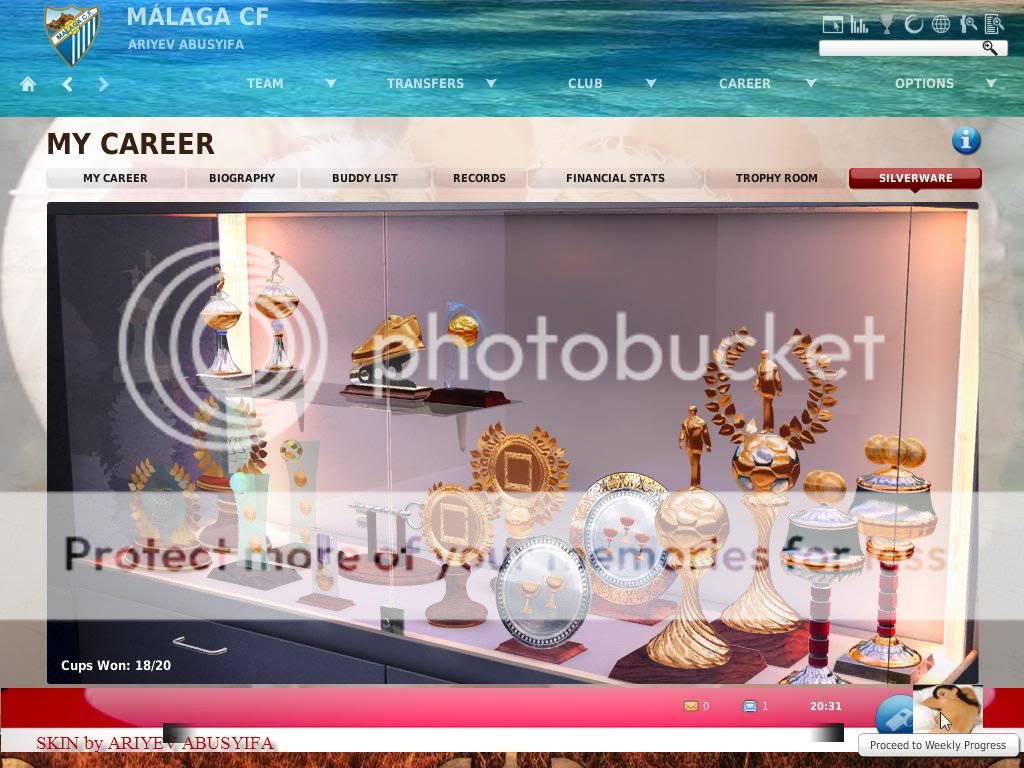
Spoiler for pajangan:
best taktik

Code:
[url]http://www.media*fire..com/?ub0pfhid9b370jl[/url]
3D MATCH CUSTOM BUTTONNEW
BUTTON utama taktikal di 3d match diganti pic para pelatih

cuma button utama aja ...sub menu nya tidak
Code:
[url] http://www.kaskus.co.id/showpost.php?p=547772618&postcount=1440 [/url]
TUTOR BUAT PICT PEMAIN
VERSI GIMP. credit buat agan stan-lee
Code:
[url] http://www.kaskus.co.id/showpost.php?p=444312441&postcount=9 [/url]
TUTOR BUAT KITS/LOGO/PICK PEMAIN VERSI SOTOSHOP
Code:
[url] http://www.kaskus.co.id/showpost.php?p=550914572&postcount=1615

[/url]
Klub kere abiss tapi mau kaya abiss atau yg gak mau susah2 mikirin keuangan klub silahkan ikut saran ini kecuali te es

Spoiler for pikir-pikir dulu:
panduan crash/error dan update system/drivers
Spoiler for panduan:
bagi yg merasa udah yakin instalan nya udah bener....
dan krak nya udah sesuai statuta
tapi masih kras dan eror....primbon kras is u pren
salah satu pasti ada yg nyangkut
 :
:FIFA Manager 12 panduan kras/error
1# sebelum nya banyak2 doa biar gak kras lagih

2# FIFA Manager 12, Activation fail Cant Connect to Internet
You need to have constant internet connection while installing the game for it to verify the activation key. Put in the serial key and let it verify. If you are connected to internet and it still gives you this error, make sure your firewall and anti virus is not blocking the activation process. Disable them for a brief period and let the installer finish the installation, and you are good.
3# Game Loads Slow ?
Well, if you are not on high end machine, this probably will be frustrating for you. As every time you continue, the game has to load massive database, which surely takes time.
4# FIFA Manager 12 Activation Error
Re-activate the game or re-install the game.
If you still face activation issues and have bought the game, shoot activsup[at]tagesprotection.com an email for assistance.
5# FIFA Manager 12 Starting 3D Mode, Game Crashes
If your game crashes when starting FIFA Manager 11 3D mode, download and update the latest video card drivers to resolve this issue.
6# FIFA Manager 12 Swap File Space Error
Make sure you have enough free space on your hard driver partitioned drive (Drive, where you have installed the game), for the game to load data. The game requires atleast 1GB of swap file space to load the database hassle free.
7# FIFA Manager 12 Invalid Serial Number
Just had to put the lines between the letters/numbers of your serial number you get for the activation of the game and you will be fine.
8# Application Error
Exception EIntOverflow in module activation.exe at 001A365C.
Integer overflow.
9# Game Freezes in 3D Mode
Update Drivers, Update DirectX, and check your System temperature. Also make sure you have enough RAM to run the game smooth.
10# Manager12.exe Crashes, Stops Responding
Close all background applications.
Check whether you have enough free space in installation drive.
Update the video card drivers.
Update your system drivers.
If it still gives issues, make sure there is no application that is conflicting with executable like a firewall or anti virus. Re-install the game as a last resort.
11# Screen Flashing and Flickering While Playing
If you find any solution to this issue, share with us.
12# Cant Play Online Your Firewall is Restrictive
Configure your firewall to allow FIFA Manager 12.
Windows XP
Go to Control Panel, and from there to Security Center. If you have classic view of the control panel, just click on Windows Firewall in Control Panel.
Now Firewalls default settings are under general tab. If it is On, you need to configure, if its off you wont have any problem to start with, but at security risk.
Now click the tab labeled exceptions and click add port button at the bottom of the box.
In the box marked name type, the name of the port.
In the box marked port, type the port number.
Make sure you check TCP radio button, now press OK to continue.
You can ports this way, whatever ports are required for online game mode, in place of TCP, you can check UDP if it is required.
Windows Vista/Windows 7
Control Panel > System and Security > Windows Firewall > Advanced Settings.
Once you are in advanced settings of Firewall which is on the left column of Windows Firewall Window, Now you need to add Inbound and Outbound Rules to the firewall.
Click inbound Rules> New Rule, a window will pop up, check port, and add the port number, also check whether its TCP or UDP.
Click Outbound Rules> New Rule, and repeat the process.
UPDATE SYSTEM
chipset board
Nvidia
http://www.nvidia.co.uk/Download/ind...spx?lang=en-uk
ATI
http://ati.amd.com/support/driver.html
Intel
http://downloadcenter.intel.com/
bisa juga dimari apdet driver nya
ATI Drivers
http://ati.amd.com/support/driver.html
Intel Drivers
http://downloadcenter.intel.com/default.aspx
http://www.intel.com/support/chipset.../CS-020683.htm(Intel® 945 Express Chipset Family)
nVidia Drivers
[url] http://www.nvidia.com/Download/index.aspx?lang=en-us [/url]
SiS Drivers
http://www.sis.com/download/agreemen...url=/download/
jgn lupa di pilih xp apa win 7 punya agan...

to my friends around the world
YOU MAY POST USING ENGLISH in This Forum
of course after the first register in this forum
YOU MAY POST USING ENGLISH in This Forum
of course after the first register in this forum
0