


- Beranda
- CCPB - Shareware & Freeware
Firefox Extreme Speed Edition
...


TS
orientalcaesar
Firefox Extreme Speed Edition
Firefox Extreme Speed Edition - Unlock & Maximize Firefox Performance !
Annoyed by Firefox Slow Startup Time ? Troubled by Firefox slow browsing ? Install FESE (Firefox Extreme Speed Edition) now to regain your Firefox Speed ! It has the best combination of : Firefox Speed Optimized + RAMDISK+ Speed addons+ HandyCache which allows you to Unlock & Maximize your Firefox performance !

Terganggu oleh Waktu Startup Firefox Slow? Bermasalah dengan browsing Firefox lambat? Install FESE (Firefox Extreme Edition Speed) sekarang untuk mendapatkan kembali Anda Speed Firefox! Ia memiliki kombinasi terbaik: Firefox Speed Dioptimalkan + RAMDISK + Speed addons (addons local load+scripts) + HandyCache yang memungkinkan Anda untuk Unlock & Maksimalkan performa Firefox![/quote]
Here are some key features of FESE:
+ 100% Firefox Source
+ Speed up Firefox StartUp Time
+ Speed up Firefox browsing speed
+ Save Internet bandwidth
+ Improve Hard disk, CPU, RAM lifetime
UPDATE FESE III
+ Developer: Tangtocnet.com
+ License/Price: Freeware/Free
+ Size/OS : 20 MB/ Win 7 & Win Xp
+ Category : Web Browser
Requirements:
+ Win 7/ Win Xp
+ Pentium 233 MHz (Recommended: Pentium 500MHz or greater)
+ 1GB RAM for Win Xp, 2GB for Win 7
+ 100 or 150 MB RAMDISK space
Ps : Apapun web browser yang Anda gunakan, Anda harus menghadapi ISU Defragmentation HDD Anda, sehingga RAMDISK akan lebih aman dan gegas!
RAMDISK Terbaik untuk XP RAMDISK Vsuite, free edition
Win 7 adalah Dataram.
Cukup dng membuat RAMDISK dan mengkopi/salinan FESE II folder pada RAMDISK, Anda sudah selesai!
Petunjuk melalui video:
PS : Untuk addons pada FESE sangat disarankan menggunakan addons local load+Scripts local load extendeddan HandyCache untuk mendapatkan hasil yg lebih maksimal lagi.
 : : :
: : :
Cara Membackup FESE
sumber:

Annoyed by Firefox Slow Startup Time ? Troubled by Firefox slow browsing ? Install FESE (Firefox Extreme Speed Edition) now to regain your Firefox Speed ! It has the best combination of : Firefox Speed Optimized + RAMDISK+ Speed addons+ HandyCache which allows you to Unlock & Maximize your Firefox performance !
Terganggu oleh Waktu Startup Firefox Slow? Bermasalah dengan browsing Firefox lambat? Install FESE (Firefox Extreme Edition Speed) sekarang untuk mendapatkan kembali Anda Speed Firefox! Ia memiliki kombinasi terbaik: Firefox Speed Dioptimalkan + RAMDISK + Speed addons (addons local load+scripts) + HandyCache yang memungkinkan Anda untuk Unlock & Maksimalkan performa Firefox![/quote]
Quote:
Original Posted By tenebaum►Mangtabz banget gan..maap lom bisa ngasih yang ijo masih abu² ..cm mo bantu rate dan sedikit testi aja...taruh pegwan juga ok gan


..cm mo bantu rate dan sedikit testi aja...taruh pegwan juga ok gan
Spoiler for before:
Spoiler for after:
Here are some key features of FESE:
+ 100% Firefox Source
+ Speed up Firefox StartUp Time
+ Speed up Firefox browsing speed
+ Save Internet bandwidth
+ Improve Hard disk, CPU, RAM lifetime
Quote:
UPDATE FESE III
Spoiler for fese III:
+ Developer: Tangtocnet.com
+ License/Price: Freeware/Free
+ Size/OS : 20 MB/ Win 7 & Win Xp
+ Category : Web Browser
Requirements:
+ Win 7/ Win Xp
+ Pentium 233 MHz (Recommended: Pentium 500MHz or greater)
+ 1GB RAM for Win Xp, 2GB for Win 7
+ 100 or 150 MB RAMDISK space
Cara instal FESE :
Quote:
Ps : Apapun web browser yang Anda gunakan, Anda harus menghadapi ISU Defragmentation HDD Anda, sehingga RAMDISK akan lebih aman dan gegas!
RAMDISK Terbaik untuk XP RAMDISK Vsuite, free edition
Code:
http://www.romexsoftware.com/en-us/vsuite-ramdisk/download.html


full edition

[url=http://www.kaskus.co.id/showpost.php?p=561346787&postcount=1195]VSuite.Ramdisk.Professional.v4.3.6127.1603.FULL[/url]
Win 7 adalah Dataram.
Code:
http://www.filehippo.com/download_ramdisk/
Cukup dng membuat RAMDISK dan mengkopi/salinan FESE II folder pada RAMDISK, Anda sudah selesai!
Petunjuk melalui video:
Code:
http://www.kaskus.co.id/showpost.php?p=446564135&postcount=9
PS : Untuk addons pada FESE sangat disarankan menggunakan addons local load+Scripts local load extendeddan HandyCache untuk mendapatkan hasil yg lebih maksimal lagi.
: : : Cara Membackup FESE
Quote:
sumber:
Quote:
0
108.3K
1.6K

Komentar yang asik ya
Mari bergabung, dapatkan informasi dan teman baru!

CCPB - Shareware & Freeware
8.7KThread•6.6KAnggota
Tampilkan semua post
TS
orientalcaesar
#8
Firefox Extreme Speed Edition - Unlock & Maximize Firefox Performance !
PENTING !!! -> petunjuk melalui video / file FLV harap di download, agar
memudahkan cara instals maupun settingnya, khususnya bagian ramdisk.
FESE III Released !!!
Petunjuk instalasi FESE III
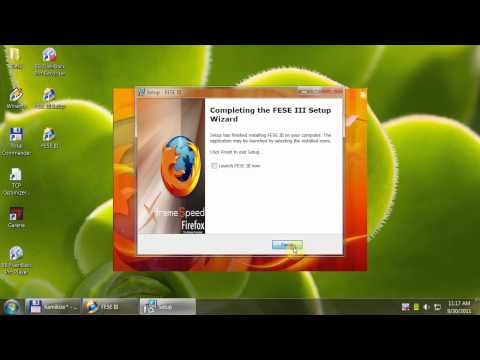
Download FESE III: http://www.mediafire.com/fese
selanjutnya lihat :
http://www.kaskus.co.id/showpost.php...postcount=1056
FESE II Released !!!
In short : just setup & run, no need to tweak , it's already tweaked !!!
Instruction
Alt+D => Address bar
Windows+D => Desktop
2 shortcuts you will use frequently in New Interface !
Speed Addons Clips
Use ABP effectivel
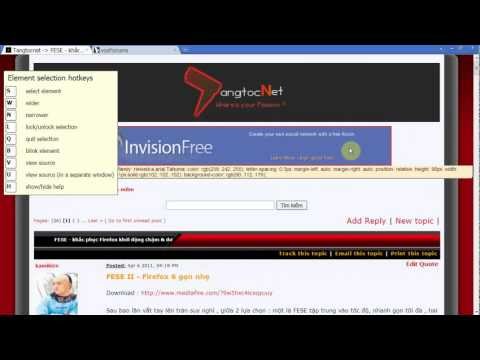
Use ImglikeOpera effectively
Load 1 image : Right click > Load image
Load Multiple images from selection : select > Ctrl+Right click
Load all images : tekan Alt+M
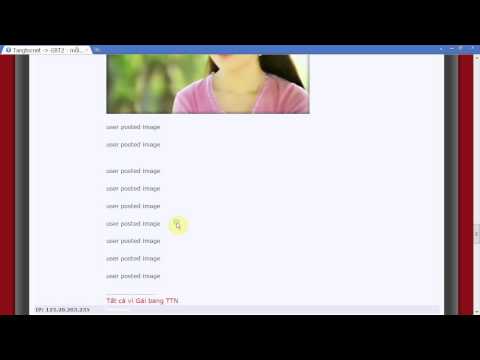
Use Noscript effectively
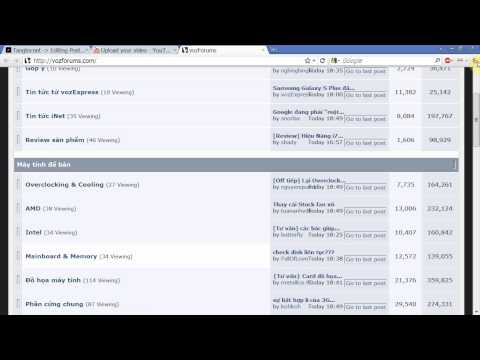
Useful script : vozforums.com => Allow
Ads script : liti.vn,frzz.net => Forbid
Use Stop Autoplay effectively
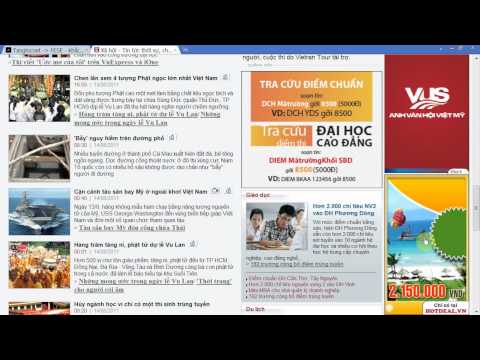
Speed Addons (ABP+ILO+NS+SA) will prevent Firefox from eating RAM & CPU effectively, now check your CPU & RAM Usage & see the diff !
Notes:
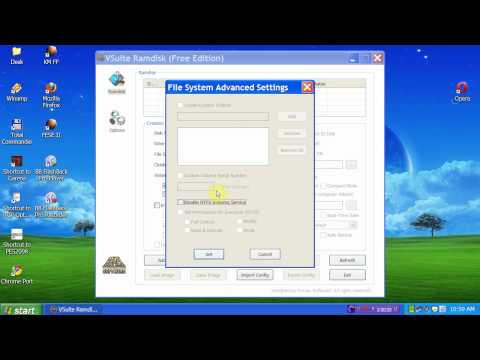
Whatever Web browser you use, you have to face the DEFRAGMENTATION ISSUES of your HDD , so RAMDISK will be a cure !Best RAMDISK for XP is Vsuite RAMDISK, Win 7 is Dataram. Just create a RAMDISK then copy FESE II folder to RAMDISK, you're done !
VsuiteRAMDISK config for XP , create RAMDISK then copy FESE II folder to it :
http://www.youtube.com/watch?feature...&v=RR0D-6R0qUM
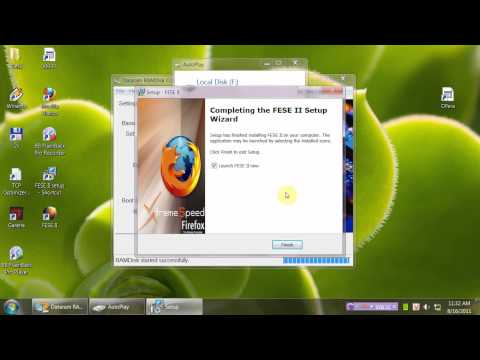
DataRam RAMDISK config for Win 7, when done reboot your comp
http://www.youtube.com/watch?feature...&v=ohj35WzAGwg
How to import data from Firefox & FESE II ?
Bagaimana cara membackup Firefox dan FESE II ?
Indicate Firefox profile : about:support > Open Containing Folder > Copy to FESEII\PortableData\AppData\Mozilla\Firefox\Profiles\Feseprof.default\
Sun Spider Benchmark
![kaskus-image]()
![kaskus-image]()
Test with Comp Spec : CPU E5200, RAM DDRII 800, HDD SATA2 7200rpm.
OOT : (Out of Topik)
CARA MEMINDAHKAN CACHE atau MEMPERBESAR CACHE pada FESE/Firefox
tapi disarankan menggunakan :
FESE 1
PENTING !!! -> petunjuk melalui video / file FLV harap di download, agar
memudahkan cara instals maupun settingnya, khususnya bagian ramdisk.
FESE III Released !!!
Petunjuk instalasi FESE III
Quote:
Download FESE III: http://www.mediafire.com/fese
selanjutnya lihat :
http://www.kaskus.co.id/showpost.php...postcount=1056
FESE II Released !!!
Code:
http://sourceforge.net/projects/fese/files/FESE%20II%20setup.exe/download
- + New User Interface
- + Lastest Tete build based on Firefox 6
- + IDMcc compatible with Firefox 6
- + Speed Addons integrated
- + More stable
======>
jika engga familier dengan addon Noscripts dan addon ImgLikeOpera bisa didisable untuk menampilkan gambar dan script, tentu dengan resiko ada beban sedikit pada FESE...
In short : just setup & run, no need to tweak , it's already tweaked !!!
Instruction
Alt+D => Address bar
Windows+D => Desktop
2 shortcuts you will use frequently in New Interface !
Speed Addons Clips
Use ABP effectivel
Use ImglikeOpera effectively
Load 1 image : Right click > Load image
Load Multiple images from selection : select > Ctrl+Right click
Load all images : tekan Alt+M
Use Noscript effectively
Useful script : vozforums.com => Allow
Ads script : liti.vn,frzz.net => Forbid
Use Stop Autoplay effectively
Speed Addons (ABP+ILO+NS+SA) will prevent Firefox from eating RAM & CPU effectively, now check your CPU & RAM Usage & see the diff !
Notes:
Whatever Web browser you use, you have to face the DEFRAGMENTATION ISSUES of your HDD , so RAMDISK will be a cure !Best RAMDISK for XP is Vsuite RAMDISK, Win 7 is Dataram. Just create a RAMDISK then copy FESE II folder to RAMDISK, you're done !
VsuiteRAMDISK config for XP , create RAMDISK then copy FESE II folder to it :
http://www.youtube.com/watch?feature...&v=RR0D-6R0qUM
DataRam RAMDISK config for Win 7, when done reboot your comp
http://www.youtube.com/watch?feature...&v=ohj35WzAGwg
How to import data from Firefox & FESE II ?
Bagaimana cara membackup Firefox dan FESE II ?
Indicate Firefox profile : about:support > Open Containing Folder > Copy to FESEII\PortableData\AppData\Mozilla\Firefox\Profiles\Feseprof.default\
Code:
Bookmark & History => places.sqlite

Password => Signons.sqlite & key3.db

Addons => extensions folder

Cookies => cookies.sqlite

Firefox Options & Addon Options => prefs.js

Form => formhistory.sqlite & search.sqlite

Download => downloads.sqlite

Site preferences => localstore.rdf

Adblock Plus Filter => patterns.ini
Sun Spider Benchmark
Spoiler for pic:
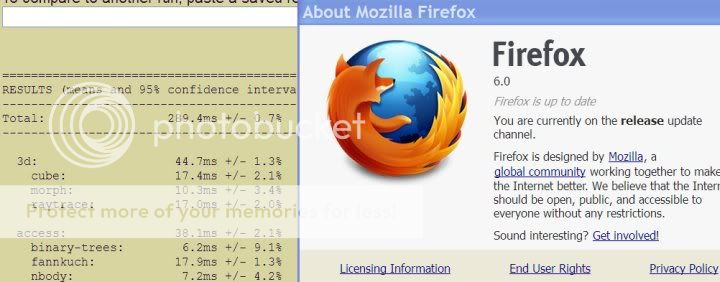

Test with Comp Spec : CPU E5200, RAM DDRII 800, HDD SATA2 7200rpm.
OOT : (Out of Topik)
CARA MEMINDAHKAN CACHE atau MEMPERBESAR CACHE pada FESE/Firefox
Quote:
tapi disarankan menggunakan :
Code:
[B][url=http://www.kaskus.co.id/showthread.php?t=10557369]HandyCache - internet lebih hemat dan cepat[/url][/B]
FESE 1
Spoiler for fese 1:
0